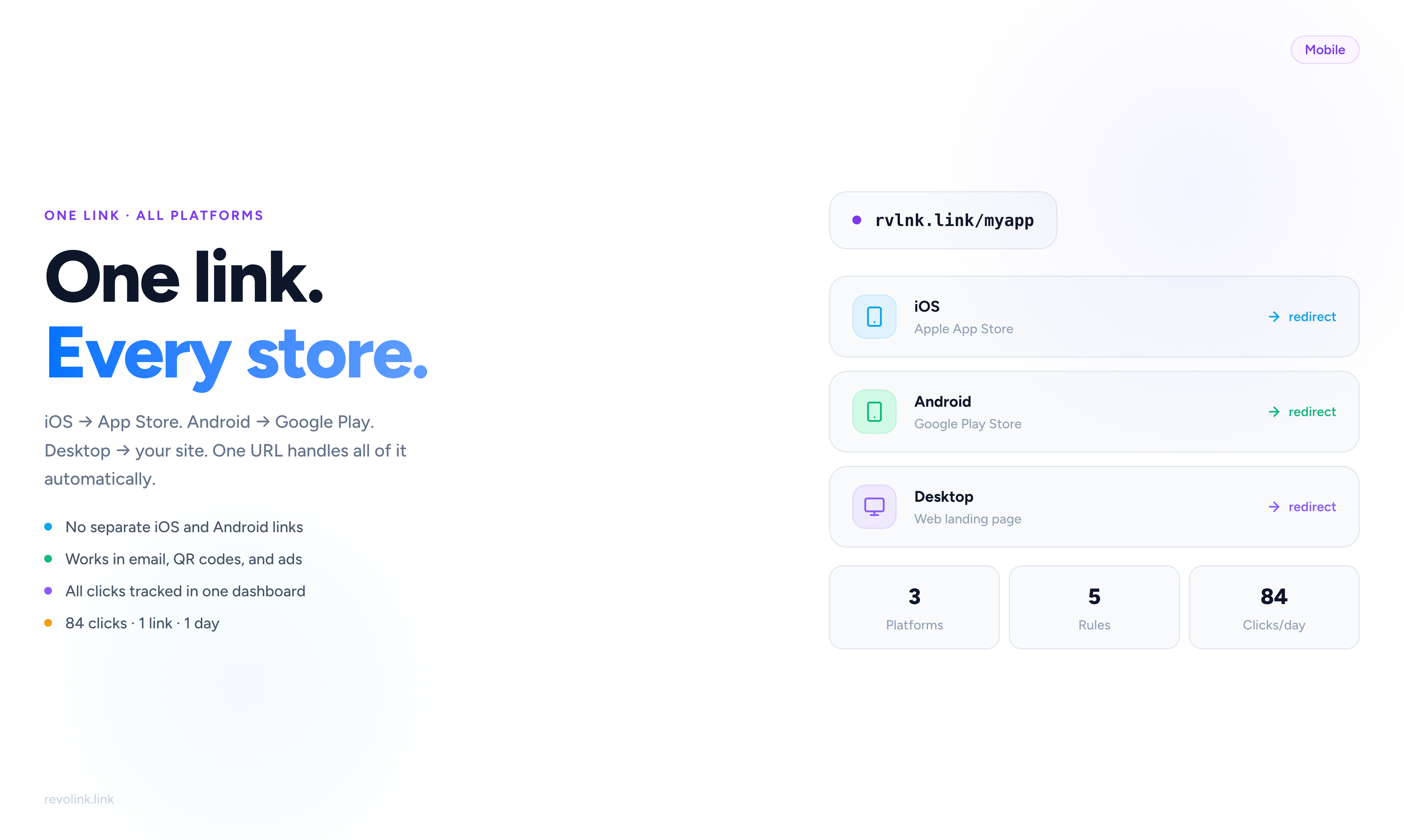
The Problem With Separate Links
Every mobile app developer faces the same decision when sharing their app: iOS link or Android link?
You can't put both in an Instagram bio. You can't include both in an email subject line. You can't print both on a flyer. So you pick one, and the other half of your potential users either bounce or have to work harder than they should.
The alternative most developers reach for is two separate links - "Download on iOS" and "Get it on Android" - which doubles your tracking complexity and splits your analytics into two streams that never quite add up.
There's a better approach: one smart download link that detects the user's device and routes them automatically.
What a Smart Download Link Does
A smart download link is a single URL that evaluates the visitor's context - primarily their operating system - and redirects them to the appropriate destination without any user action required.
When someone clicks your link:
- iOS device → Apple App Store listing
- Android device → Google Play Store listing
- Desktop (Mac, Windows, Linux) → Your website, a dedicated landing page, or a "coming to desktop" page
- Unknown/other → Your default fallback
All of this happens in under 50ms. The user sees no intermediate page, no "choose your platform" selector, no friction. They click - they land.
Real Usage: 5 Rules, 84 Clicks in One Day
One of our users - a solo developer shipping a cross-platform productivity app - set up 5 routing rules on a single Revolink link and shared it in their Product Hunt launch post.
In the first 24 hours:
- 84 total clicks from a single link
- iOS users routed to App Store - the majority of traffic
- Android users routed to Google Play
- Desktop users routed to their web landing page
- International users (Japan, Germany, Brazil) routed to the same stores with their regional App Store pages
Zero confusion. One link in the bio, one link in the PH post, one line in the email footer. All clicks tracked in one dashboard.
Building Your Smart Download Link
Rule 1: iOS → App Store
The first rule checks for iOS (iPhone + iPad). Set the condition to Operating System = iOS and point it to your App Store URL:
https://apps.apple.com/app/your-app/id123456789
Rule 2: Android → Google Play
Second rule checks for Android. Destination:
https://play.google.com/store/apps/details?id=com.yourcompany.app
Rule 3: Desktop → Landing Page
Most links shared online get clicked from desktop too - people browse Product Hunt at their desk, read emails on a laptop, see your tweet while multitasking. Don't send them to an empty "app not available on desktop" page. Send them somewhere useful:
- Your product landing page explaining the app
- A "Download on your phone" page with QR code
- Your website with a feature overview
Set condition: Device Type = Desktop.
Rule 4 & 5: Regional App Store Pages (Optional)
For apps with country-specific pricing, features, or promotional content, add geo rules:
- Country = Japan → Japanese App Store URL (
/jp/app/...) - Country = Germany → German Play Store URL (
&hl=de)
This matters for conversion: users who see prices in their local currency and language are more likely to install.
One Link, All Your Channels
Once your smart download link is live, you use it everywhere:
Social bios - One URL works for both iOS and Android followers. Instagram bio, Twitter profile, LinkedIn - one link, no split tracking.
Email campaigns - Single CTA button that works for your entire list regardless of what device they open email on. No more A/B split between iOS/Android segments.
QR codes - Print one QR code on business cards, product packaging, or event materials. Scanning from iPhone → App Store, scanning from Android → Google Play. Same physical QR code.
Paid ads - One destination URL for iOS and Android campaigns in Meta Ads Manager. Simplifies campaign structure and attribution.
Press coverage - When a journalist links to your app, they use one URL. Their readers hit the right store automatically.
Analytics: One Dashboard, Full Picture
With separate links, your analytics are fragmented. 120 clicks on the iOS link, 87 clicks on the Android link - which one counts toward your "launch day" number?
With a smart download link, every click is tracked in one place:
- Total clicks across all platforms
- Breakdown by OS (iOS vs Android vs Desktop)
- Breakdown by country
- Conversion tracking if you place the pixel post-install or on your website
You see your real install funnel, not two separate partial funnels.
Why Not Use Universal Links or App Links Instead?
Apple Universal Links and Android App Links are designed to deep-link into an installed app - they assume the app is already on the device. They're for re-engagement, not acquisition.
For app install campaigns, where you're trying to get new users to download, you need a link that:
- Works before the app is installed
- Routes to the appropriate store
- Tracks the click across all platforms
- Works in email, social, SMS, QR codes, and web
That's what a smart download link does.
Setting Up in Revolink
- Create a new link in your dashboard
- Set your default destination (your website or a generic app page)
- Add Rule 1: OS = iOS → App Store URL
- Add Rule 2: OS = Android → Play Store URL
- Add Rule 3 (optional): Device = Desktop → Landing page URL
- Add geo rules if needed
- Copy your Revolink URL - use it everywhere
The Free plan supports 1 rule per link. Starter ($5/mo) supports 6 rules per link, which covers the full OS + Desktop + 3 geo rules configuration described above.
The Result
One link. Any device. Any platform. Any country. Every click tracked.
For a solo developer or small team, this eliminates an entire category of link management complexity. No spreadsheet of platform-specific URLs. No "which link do I use for this?" decision fatigue. One URL for your app - everywhere, forever.
Related Topics:

Maksym Yaroshchuk
Founder & CEO at Revolink. Writes about link management, marketing automation, and growth strategies.