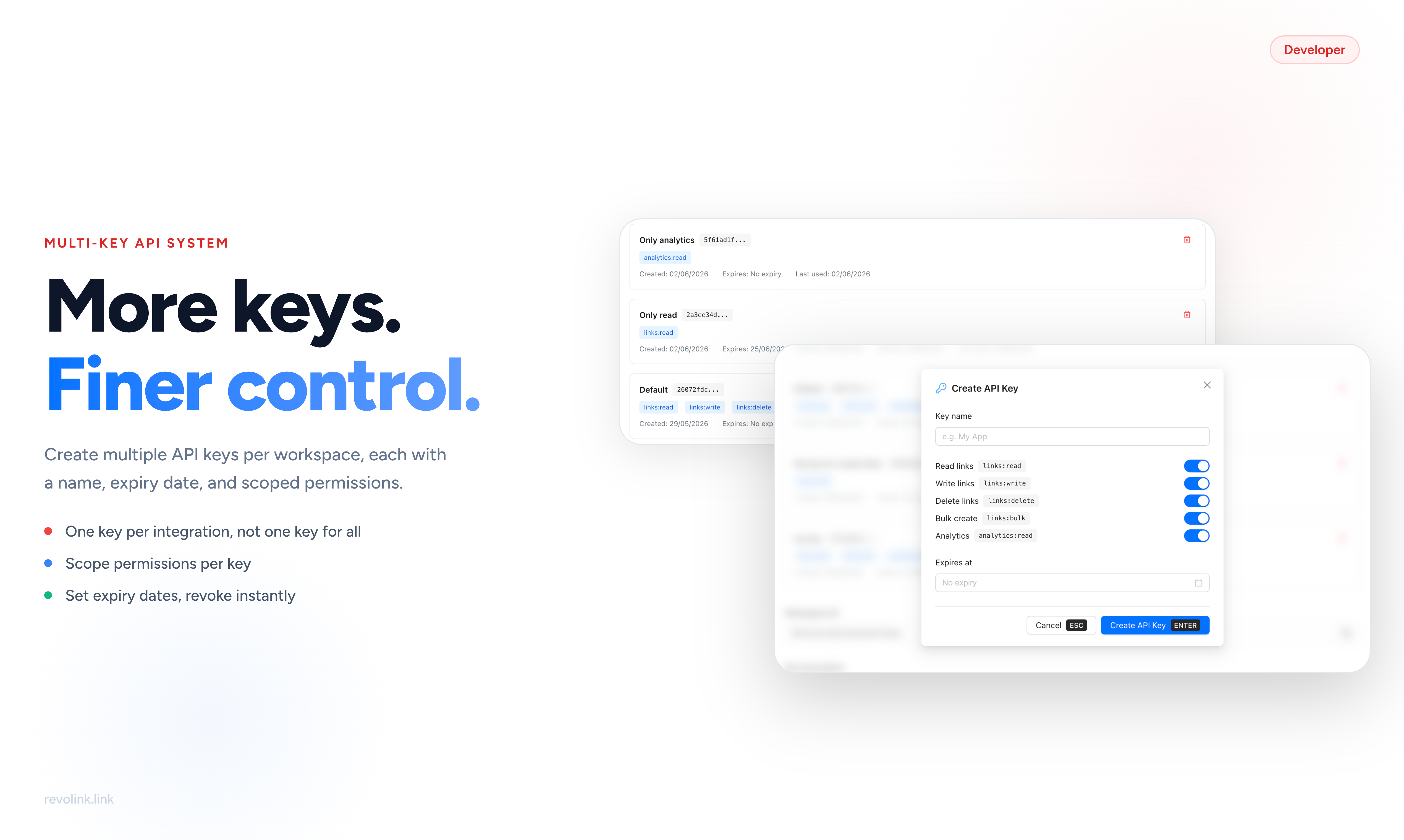
From One Key to Many - Why It Matters
The old API key system was simple: one key per workspace. Every integration your team built - deployment pipelines, analytics dashboards, marketing automation tools, internal scripts - used the same key with the same full access to everything.
This worked until the moment it became a problem. Rotating one compromised key meant updating credentials in every integration simultaneously. Giving a read-only reporting tool the same key as a write-capable automation script was a security tradeoff you had no choice but to accept. And when something broke, there was no way to trace which integration was responsible - they all looked identical.
The new multi-key system changes this entirely. Create a dedicated key for each integration. Grant only the permissions that integration actually needs. Revoke any single key without touching anything else. Trace usage back to a named key. This is how API access should work.
Creating an API Key
Go to Workspace Settings → Integrations → API Keys and click Create API Key.
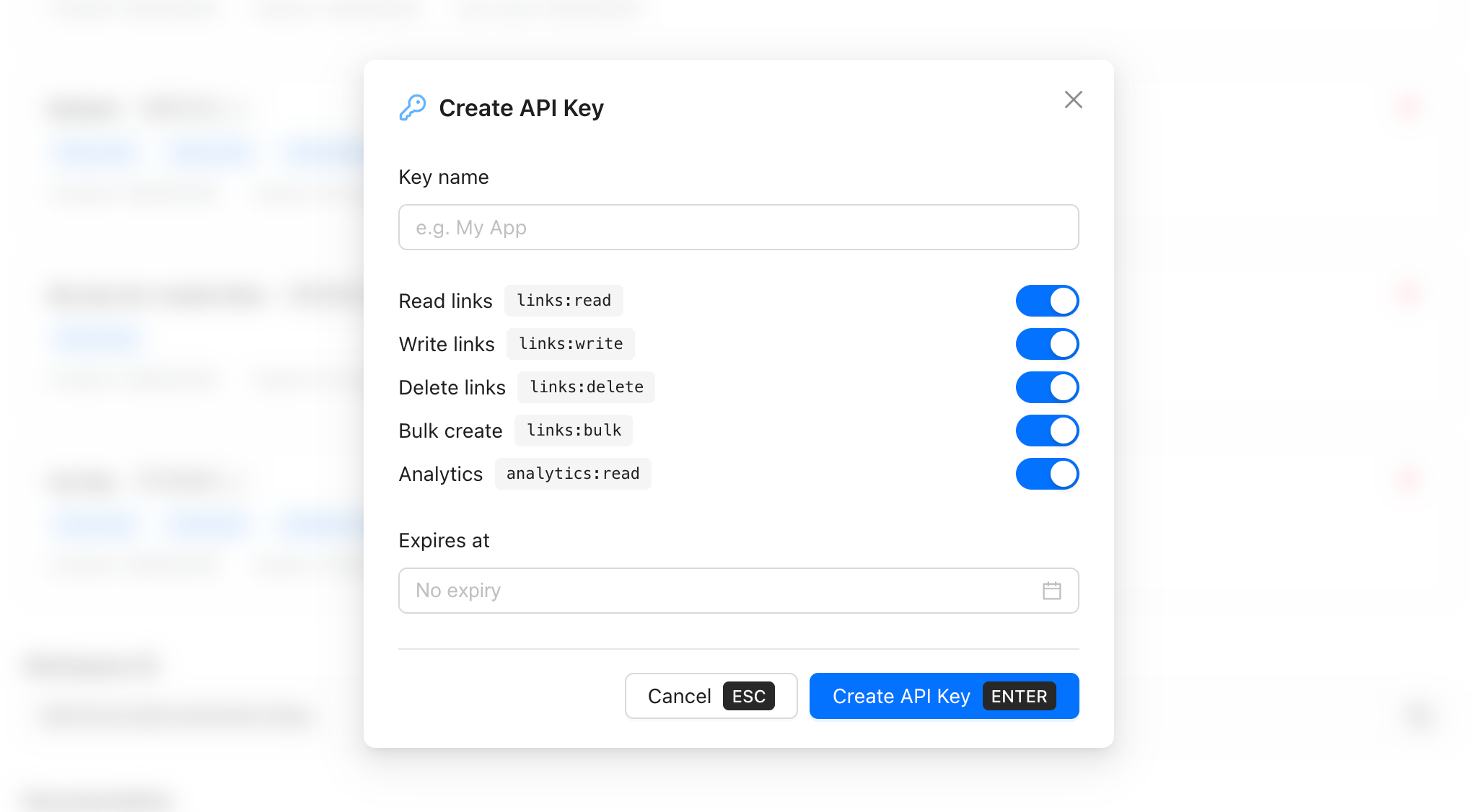
The creation modal has three sections:
Key name - give the key a name that identifies its purpose, not just its owner. CI Pipeline, Analytics Dashboard, Bulk Import Script are all better names than John's Key. You'll see this name in the keys list and in usage logs - make it something that tells you what the key does at a glance.
Permissions - five toggles, each mapping to a specific scope of access. All five are enabled by default, so your first action should be disabling the ones this integration doesn't need. A dashboard that only reads click stats doesn't need links:write or links:delete. An automation that creates links doesn't need links:delete. Turn off what isn't needed.
Expires at - an optional expiry date after which the key stops working automatically. Leave it empty for keys that should persist indefinitely. Set an expiry for short-lived integrations, contractor access, or when your security policy requires periodic rotation. An expired key returns 401 Unauthorized - the integration fails visibly, which is exactly what you want.
Once you click Create, the full key value is displayed exactly once. Copy it immediately and store it in your secrets manager or environment variables. It will never be shown again.
Permission Scopes Explained
Each key can be granted any combination of five scopes:
| Scope | Label in UI | What it allows |
|---|---|---|
links:read |
Read links | List and retrieve link details, slugs, destinations, rules |
links:write |
Write links | Create new links and update existing ones |
links:delete |
Delete links | Permanently delete links from the workspace |
links:bulk |
Bulk create | Create multiple links in a single API request |
analytics:read |
Analytics | Read click stats, conversion data, engagement metrics |
A request made with a key that lacks the required scope returns 403 Forbidden. The response body indicates which scope is missing - useful for debugging integrations during setup.
Note that links:bulk is additive - it requires links:write to be meaningful. If you enable bulk create without write permissions, bulk requests will fail. Enable both together for any integration that needs to create links at scale.
Managing Your Keys
All active keys appear in the API Keys list under Workspace Settings → Integrations.
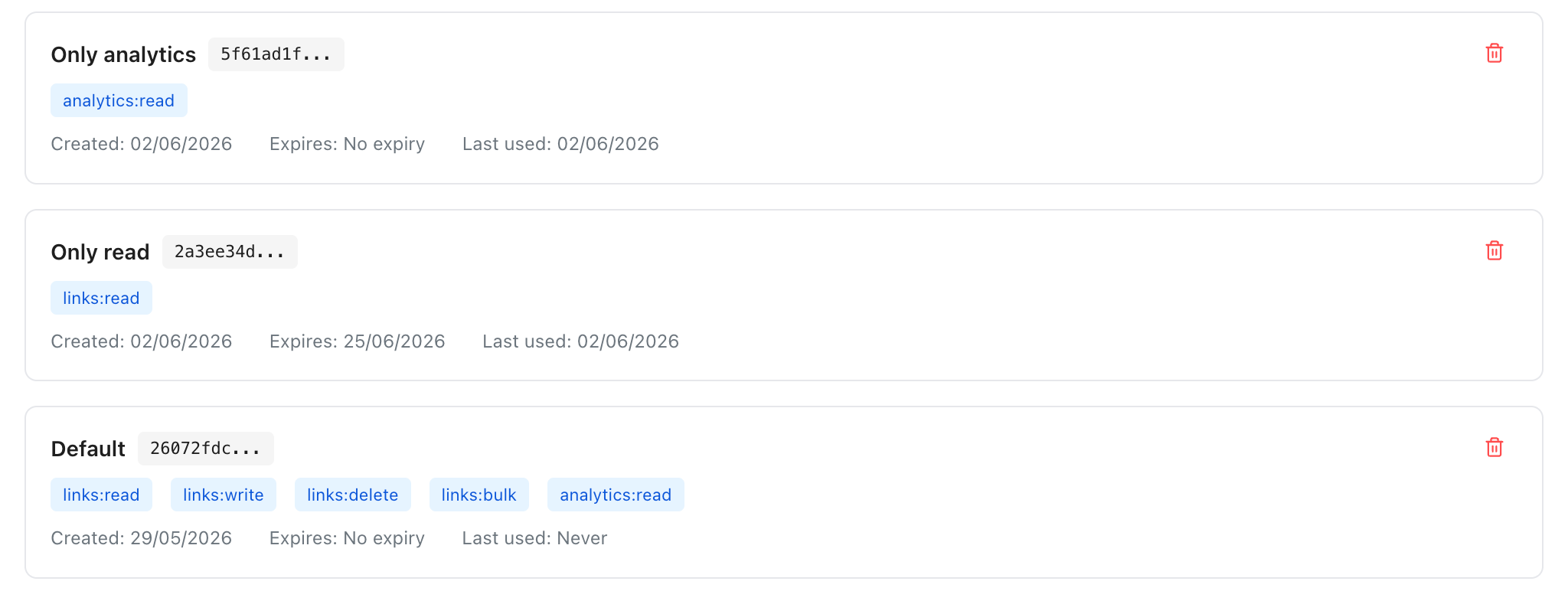
Each key card shows:
- Key name and a truncated preview of the key value
- Active scope badges - at a glance you can see what this key can do
- Created date - when the key was generated
- Expires - the expiry date or "No expiry"
- Last used - when the key last made a successful request, or "Never" if it hasn't been used yet
The Last used field is particularly useful for identifying stale keys. If a key shows "Never" or was last used months ago, it's a candidate for revocation - it may belong to an integration that was deprecated or replaced.
To revoke a key, click the delete icon on its card. Revocation is immediate - the next request using that key fails instantly with 401 Unauthorized. No grace period, no warning to the integration.
Using the API
Pass your key in the Authorization header on every request:
Authorization: Bearer YOUR_KEY_HERE
Example - creating a short link (requires links:write):
curl -X POST https://api.revolink.link/v1/links \
  -H "Authorization: Bearer rvl_live_your_key_here" \
  -H "Content-Type: application/json" \
  -d '{
    "destination": "https://example.com/summer-sale",
    "slug": "summer-sale"
  }'
Example - fetching analytics for a link (requires analytics:read):
curl https://api.revolink.link/v1/links/summer-sale/analytics \
  -H "Authorization: Bearer rvl_live_your_key_here"
If the key doesn't have the required scope, the response is:
{ "error": "Forbidden", "message": "Missing scope: analytics:read" }
Recommended Scopes by Integration Type
Not sure which scopes to enable? Start here:
| Integration | Recommended scopes |
|---|---|
| Analytics dashboard / reporting tool | links:read, analytics:read |
| Link creation script or CI pipeline | links:write |
| Bulk import or migration tool | links:write, links:bulk |
| Full management tool (create, update, delete) | links:read, links:write, links:delete, analytics:read |
| Read-only audit or compliance tool | links:read, analytics:read |
| Webhook processor that updates destinations | links:write |
The principle: start with the minimum scopes the integration needs to function, then add more only when a request fails. It's easier to add a scope later than to discover a leaked key had more access than it ever needed.
Key Security Best Practices
Name keys by function, not by person. People leave teams; integrations don't. Marketing Automation is a better key name than Sarah's Key because when Sarah leaves, you know what the key does and whether it's still needed.
Rotate keys on a schedule. Even without a suspected compromise, periodic rotation limits the window of exposure for any key that was accidentally logged or leaked. The expiry date field automates this - set it to 90 or 180 days and the key stops working without you having to remember to revoke it.
Never commit keys to version control. Use environment variables or a secrets manager. If a key does get committed, revoke it immediately and create a new one - don't just remove it from the repository history.
Use the Last used field to clean up. Any key with "Never" or a stale last-used date is a security surface with no value. Revoke it.
Migrating from the Old Single-Key System
If you were using the previous single-key system, your existing key continues to work until you explicitly revoke it. There's no forced migration and no cutoff date.
When you're ready to migrate:
- Identify every integration currently using the old key
- For each integration, create a new key with only the scopes it actually uses
- Update the integration to use its new key
- Verify the integration works correctly
- Once all integrations are updated, revoke the old key
Running both keys in parallel during the migration window is fine - the old key stays active until you revoke it.
Frequently Asked Questions
How many API keys can I create per workspace? There's no hard limit on the number of keys per workspace. Create as many as your integrations require.
Can I see which key was used for a specific request? Not at the individual-request level currently. The Last used timestamp tells you when a key was most recently active, which is useful for identifying stale or unused keys.
What happens when a key expires?
Requests using an expired key return 401 Unauthorized. The key stays visible in your keys list so you know it existed - you can delete it from the list if you want to clean up.
Can I edit a key's permissions after creation? Currently, permissions are set at creation time and can't be changed afterward. To change a key's scope, revoke the existing key and create a new one with the updated permissions.
Is there a difference between the API key and the workspace conversion key? Yes. API keys are for programmatic access to the Revolink REST API - creating links, reading analytics, etc. The conversion tracking key is a separate credential used exclusively for server-side conversion event tracking. They're independent systems.
Related Topics:

Maksym Yaroshchuk
Founder & CEO at Revolink. Writes about link management, marketing automation, and growth strategies.