Revolink AI
Just Tell It What You Need
A chat assistant built into every workspace - it creates links, reads your analytics, and explains how Revolink works, in plain language.
Last updated: October 2026
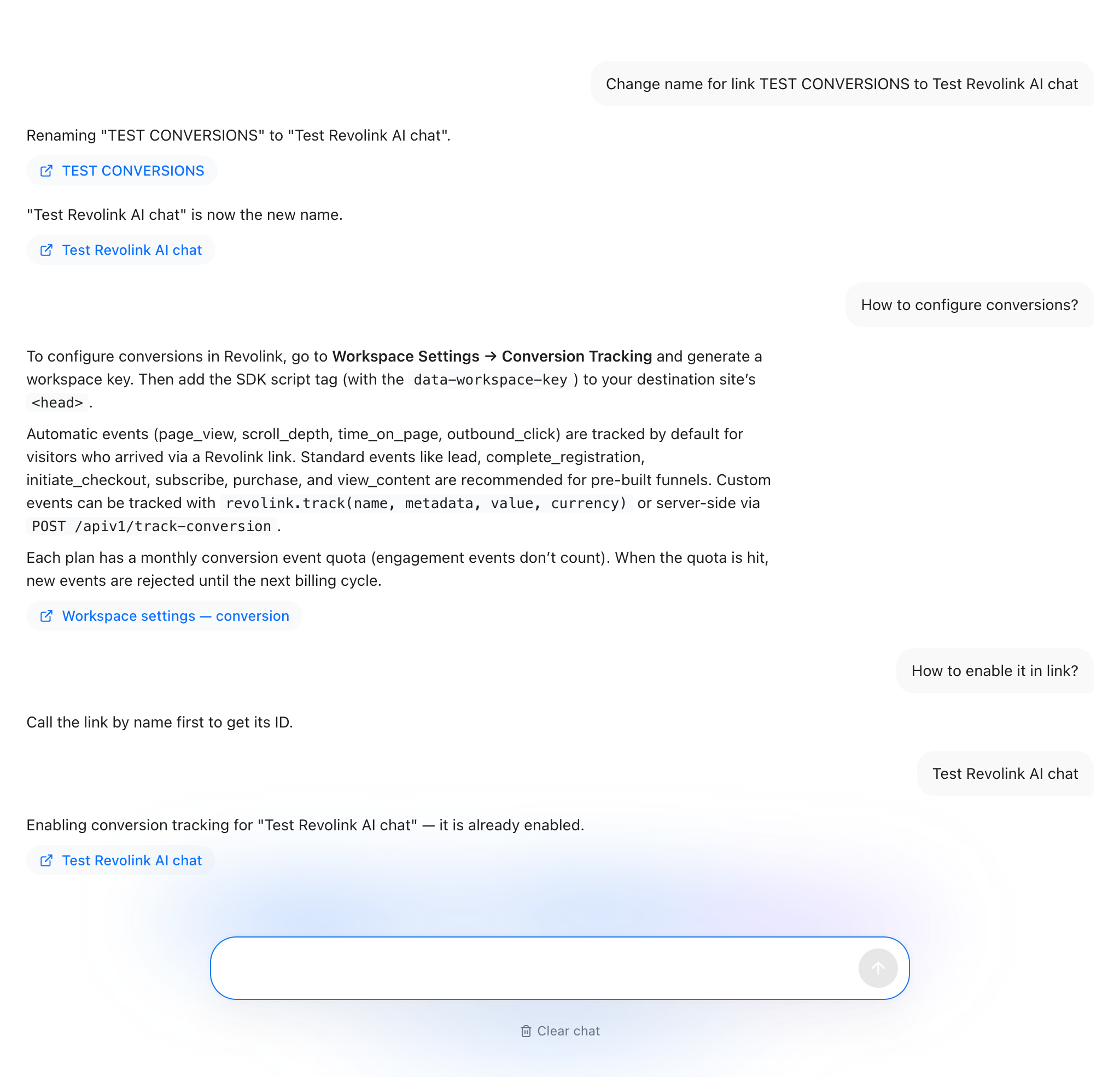
Without Revolink AI
Every task is a form, a filter, or a trip to the docs.
Creating twenty UTM-tagged links for a campaign means twenty trips through the same form.
"How many clicks came from Instagram this week" means opening the analytics tab and filtering by hand.
You forget the exact steps to set up a redirect rule and have to dig through the docs again.
Finding the right settings screen for a specific link or workspace setting takes a few clicks you'd rather skip.
With Revolink AI
You type what you want. It does the clicking.
Type what you want - "create 20 UTM links for this campaign" - and Revolink AI does it.
Ask in plain language - "clicks from Instagram this week" - and get the number, not a filter panel.
Ask how something works - rules, UTM, conversions, workspaces, plans - and get a direct answer.
Ask it to take you to the right screen, and it drops a direct link into the chat.
What Revolink AI can do
One chat, five kinds of work.
Manage links
Create, edit, delete, or bulk-update links and redirect rules from a single chat message.
Read your analytics
Ask about clicks, referrers, or conversions for one link or your whole workspace.
Explain how Revolink works
Rules, UTM tagging, conversion tracking, workspaces, tags, plans - answered on the spot.
Take you where you need to go
Ask for a specific screen and it hands you a direct link into the app - no menu hunting.
Fix your imports
Attach an import with @ and ask what is wrong with the file, or ask it to fix what it can - before you move links over from another service.
Any change it proposes - creating, editing, deleting, or bulk-updating links - is shown to you first and only runs after you confirm it.
Want to run it on your own AI key instead? Connect OpenAI, Google Gemini, or Anthropic Claude - with your own key, Revolink never limits your usage in any way, no matter how much you chat.
What's new in Revolink AI
Three updates that make the chat work with what is already in your workspace. Click any screenshot to enlarge it.
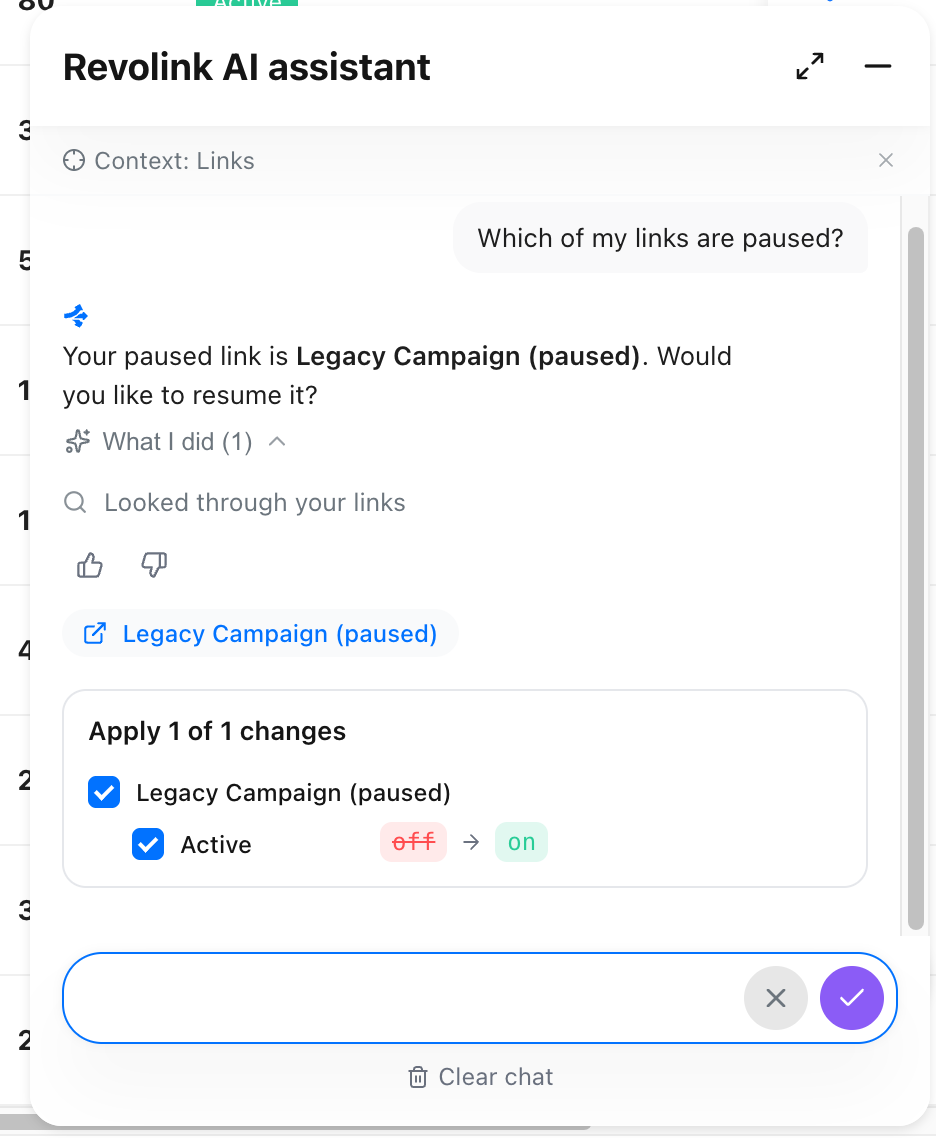
1. It knows which page you are on
Open the chat from the Links list and it already has that page as context. Every answer shows what it looked at under "What I did", and a thumbs up or down lets you rate it. Prefer a clean slate? Switch the page context off.
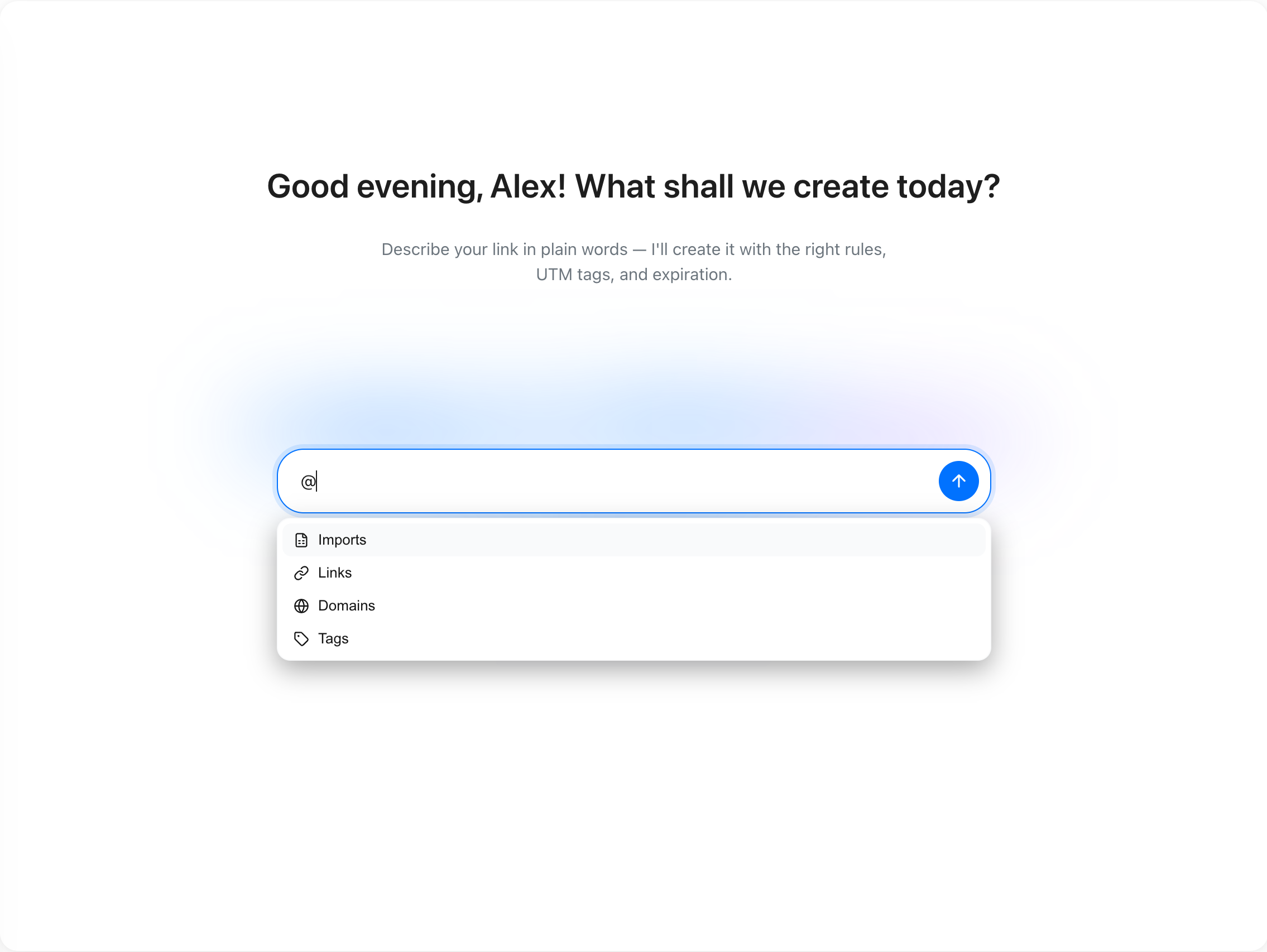
2. Attach what you mean with @
Type @ to attach imports, links, domains, or tags, so the assistant works with exactly the item you pick. With an import attached, the suggestions switch to questions about that import.
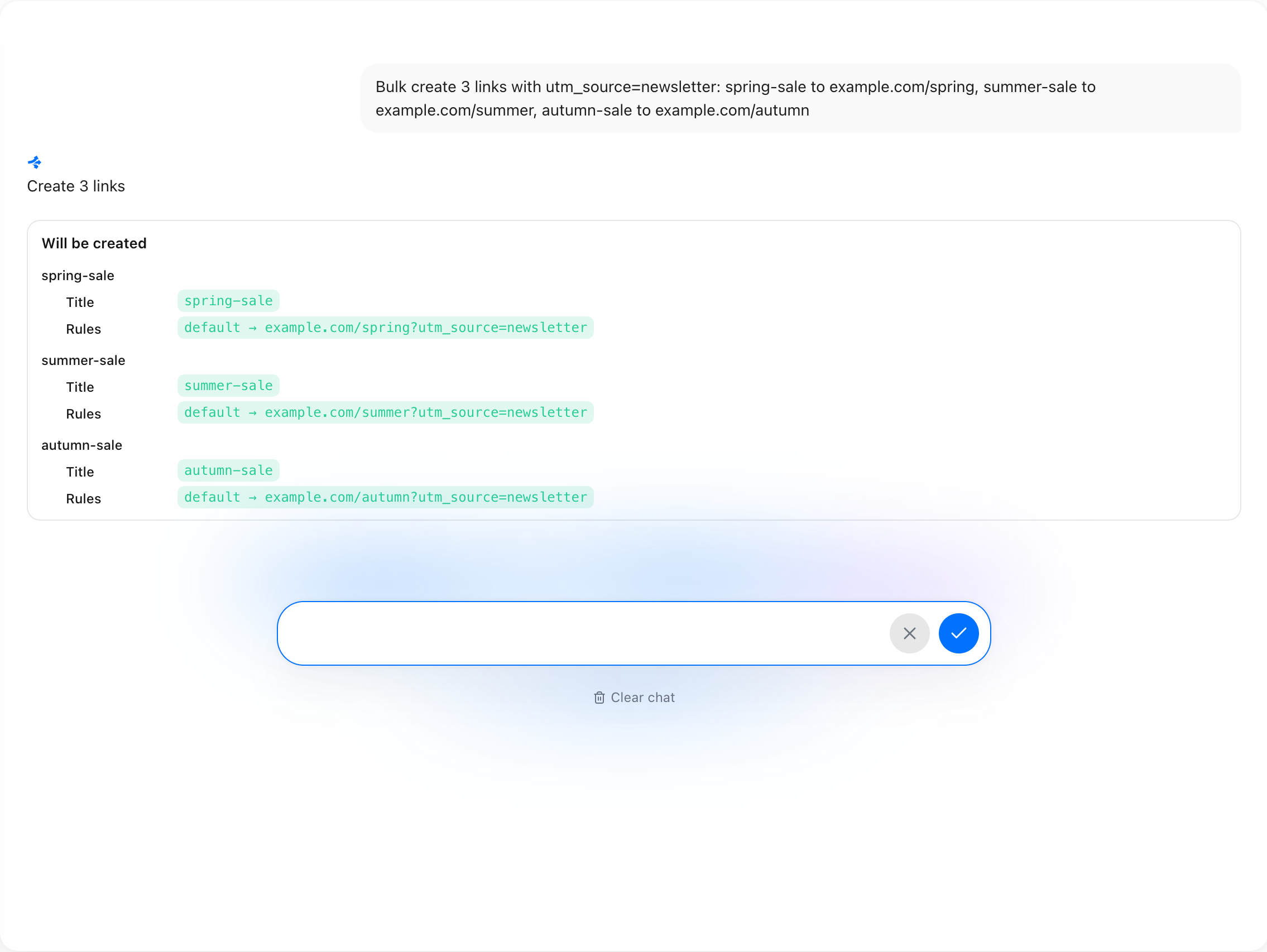
3. Review changes before they run
Ask for three links with utm_source=newsletter and the assistant lists each one first - title and destination URL. Nothing is created until you confirm.
Real examples
What people actually type into the chat.
Marketers
"Create 20 UTM links for the spring campaign, one per channel."
Twenty tagged links, ready in one message instead of twenty form submissions.
Agencies
"How many clicks came from Instagram this week for the client dashboard link?"
A direct answer, no filtering through the analytics tab by hand.
Solo founders
"Set up a rule that sends new iOS users to the App Store, everyone else to the landing page."
The rule proposed, confirmed, and live - without opening the rules builder.
0
Code required
Plain
Language, not forms
Confirm
Before every change
Included
On every plan
Common questions
Do I need to write anything technical to use it?
No. Revolink AI understands plain-language requests - just type what you want, the way you'd ask a teammate.
Can it delete or change my links without asking?
No. Any change - creating, editing, deleting, or bulk-updating links - is shown to you first and only runs after you confirm it.
Can it see data from other workspaces?
No. It only ever works with the links, analytics, and settings of the workspace you're chatting from.
Is Revolink AI available on the Free plan?
Yes. Every plan includes a fair daily amount of chat and actions, with more available on paid plans.
Can I ask it things unrelated to Revolink?
It's built to focus on Revolink - links, analytics, rules, and your workspace. Connect your own OpenAI, Google Gemini, or Anthropic Claude key on the Custom AI Model page for a general-purpose assistant with no topic limits and no usage limits from us whatsoever.
Can it help me import links from another service?
Yes. Attach your import to the chat with @ and ask what is wrong with the file, how to handle the domains step, or to fix what it can. The migration itself runs in the import wizard, which is free to use.
Route Smarter. Convert More.
Stop sending everyone to the same page. Route by location, device, and time - start free, no credit card required.
Start for Free - No Card RequiredFree forever · No credit card · Cancel anytime
Already have links? Import them