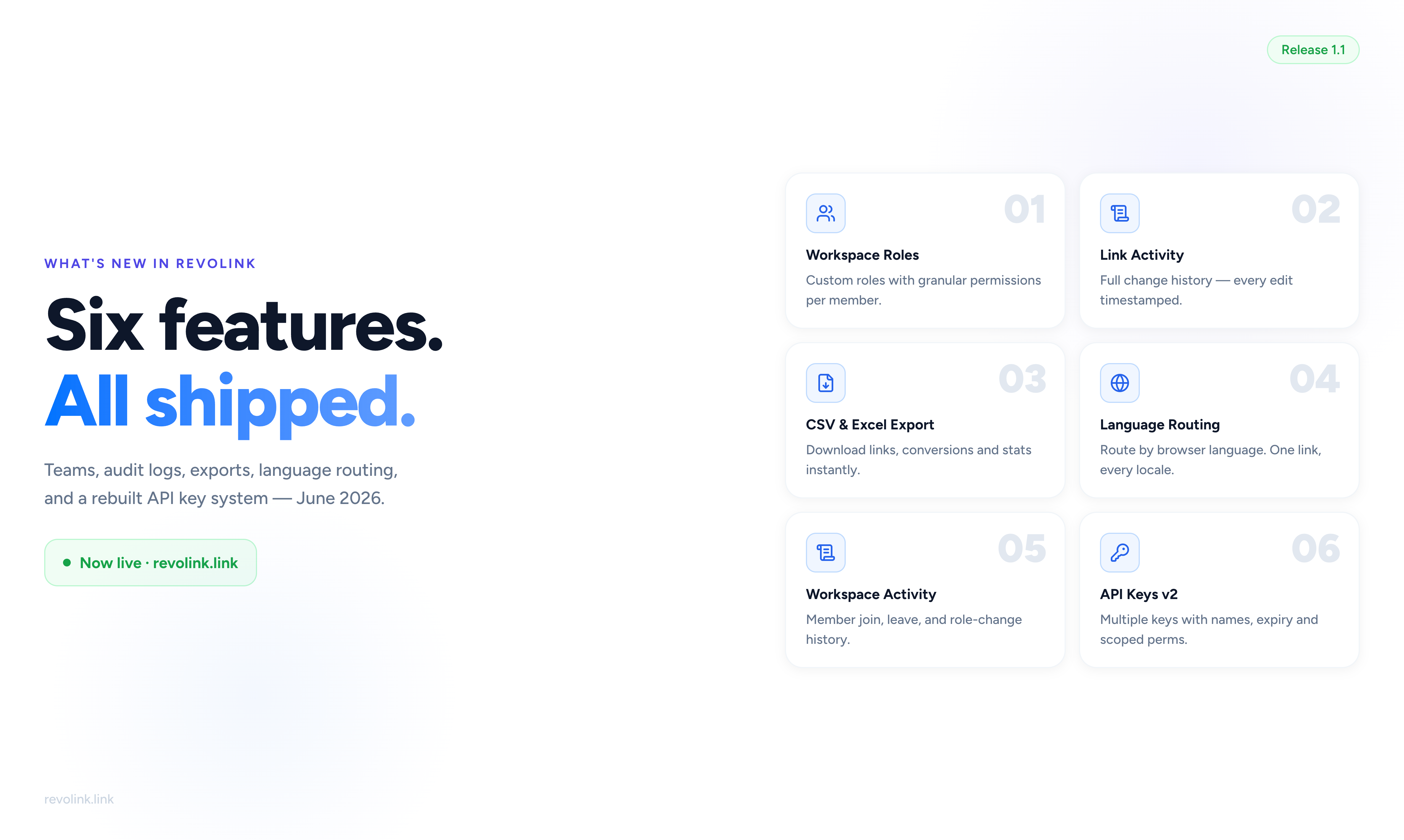
A Focus on Teams and Data
June's release is built around two themes: giving teams better control over who can do what, and giving everyone better access to their data. Six features shipped - here's a summary of each.
Workspace Roles and Permissions
You can now create custom roles in your workspace and assign them to members. Each role is a named set of permissions - you decide what members with that role can see, create, edit, or delete.
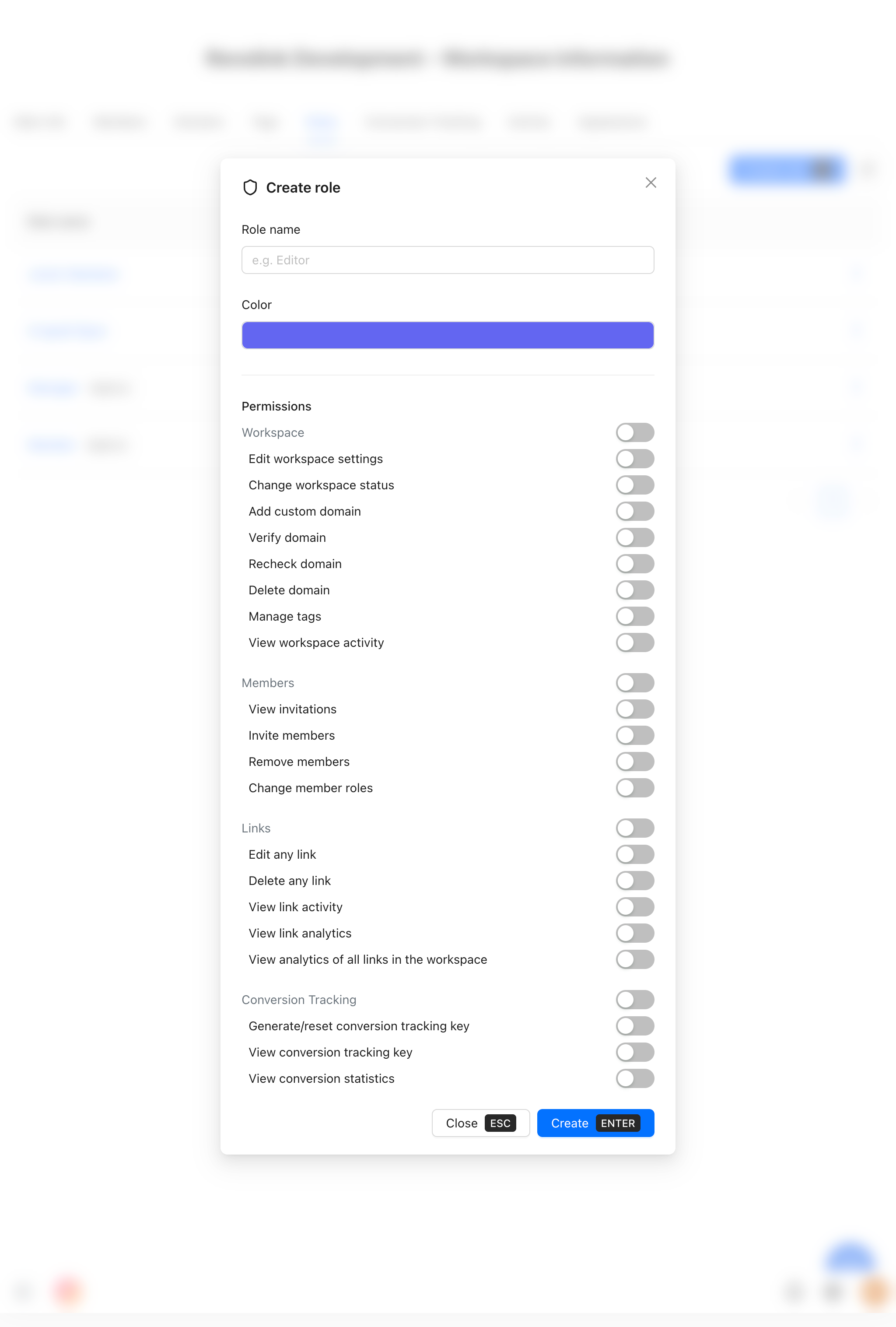
Out of the box, every workspace has three default roles: Owner, Admin, and Member. These cover most team structures, but if you need something more specific - say, a read-only analyst, or a limited editor who can create links but not delete them - you can create a custom role in a few clicks.
Read the full guide to roles and permissions →
Link Activity Audit Log
Every change to a link is now recorded in the Activity tab: who made the change, what they changed, and when. This includes destination URL changes, routing rule edits, A/B variant updates, and more.
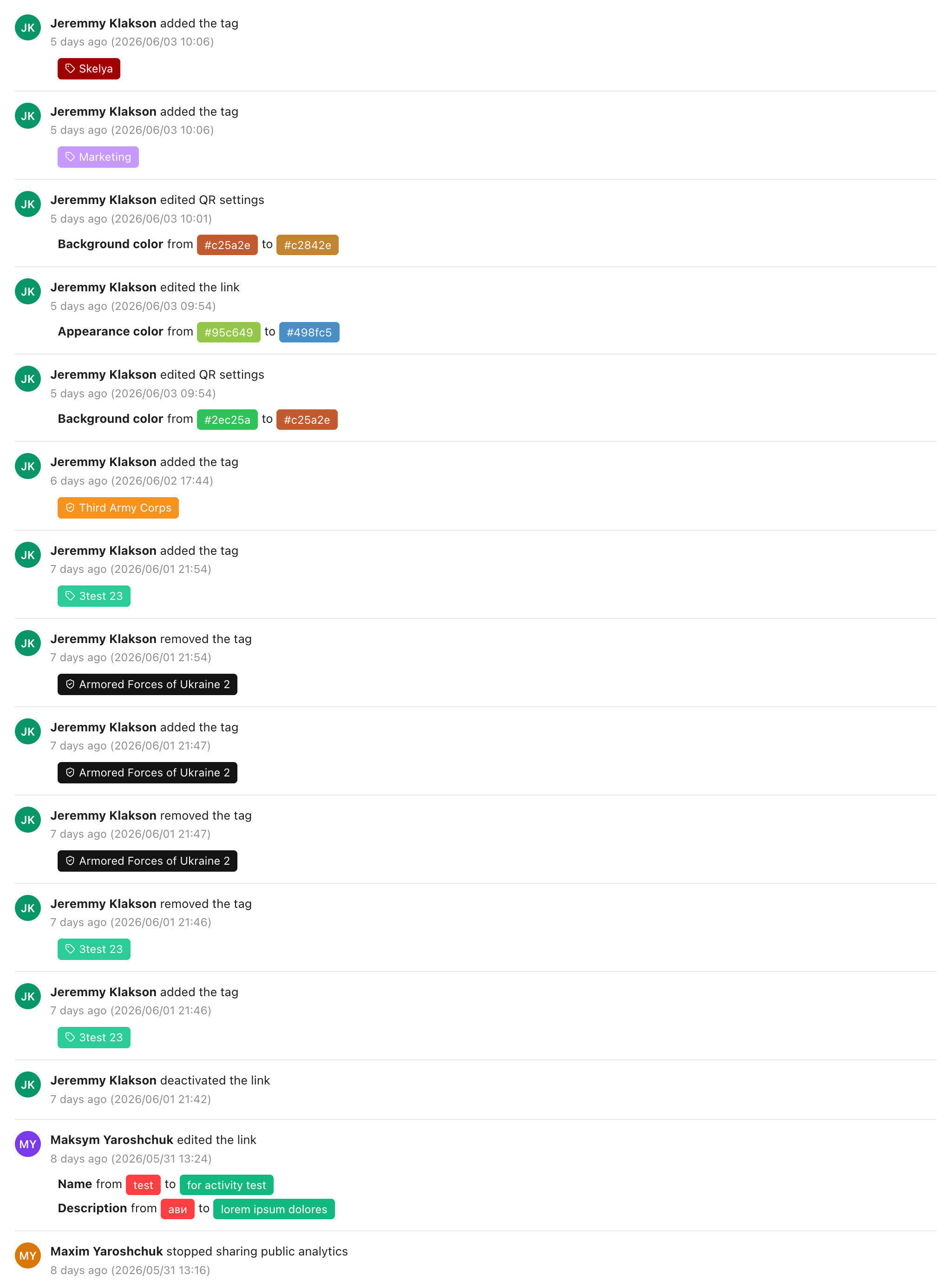
You can filter the activity log by date range to focus on a specific campaign period. Rule changes include snapshots - you can see the rule state before and after each edit, without having to dig through version history.
This is particularly useful when a campaign behaves unexpectedly: you can check exactly what changed, and when.
Read the full guide to link activity →
Workspace Activity Feed
Alongside per-link activity, your workspace now has a workspace-level activity feed. It tracks member events - who joined, who left, who was invited - with timestamps and role information.
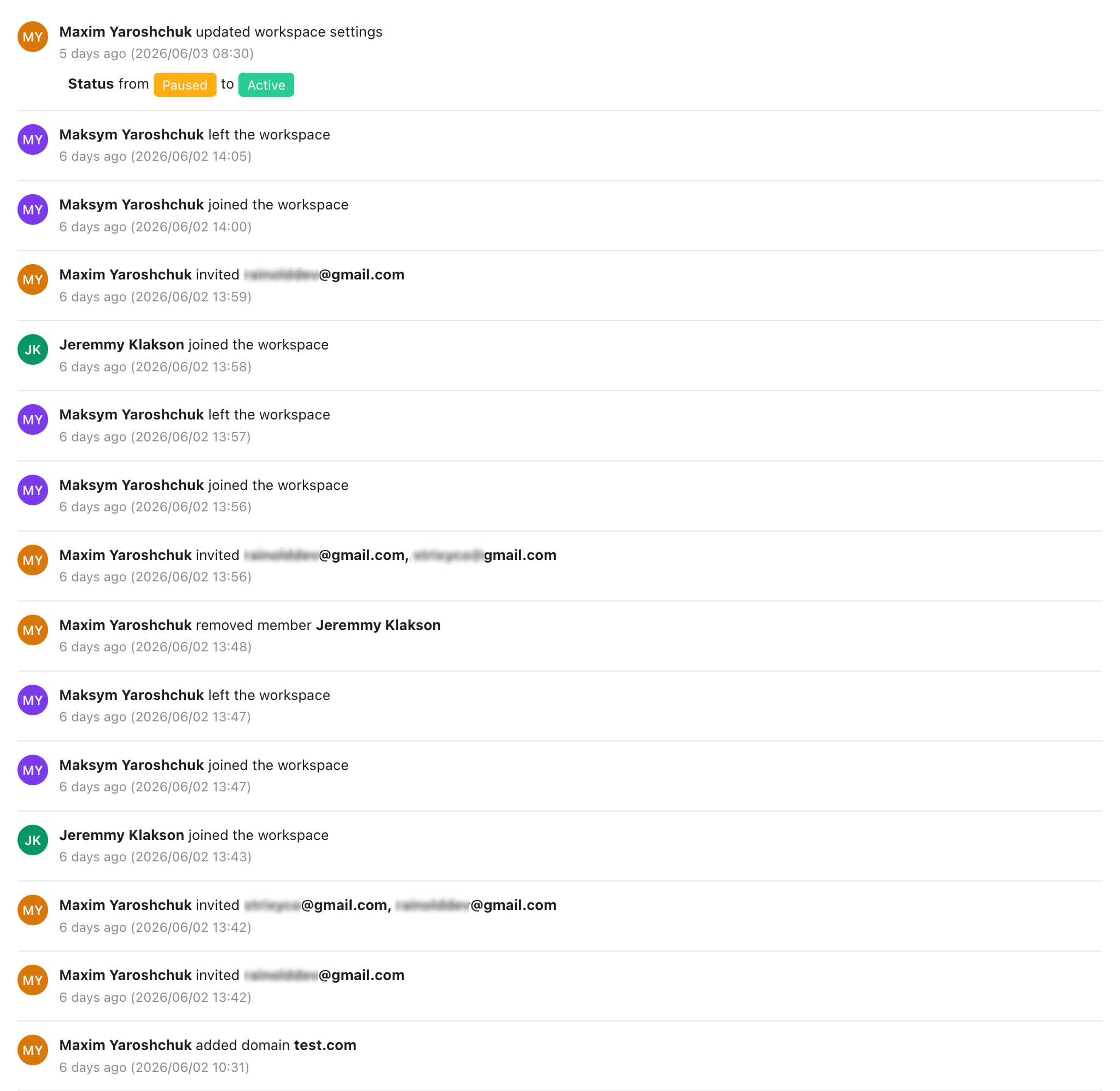
For teams managing shared workspaces, this makes onboarding and offboarding visible. You can see at a glance who has access and when they got it.
CSV and Excel Export
You can now export your data in three formats: links list, conversion events, and engagement stats. Each export downloads as CSV or Excel - pick whichever format works for your workflow.

The links export includes all metadata: slug, destination URL, creation date, click count, tags, and active rules. The conversion export breaks down events by link and date. The engagement export covers clicks by day, country, device, and referrer.
All three exports include a complete column set - no hidden data, no pagination limits.
Language-Based Link Routing
Routing rules now support a language condition. When a visitor clicks your link, Revolink checks their browser's language setting and routes them to the matching destination.
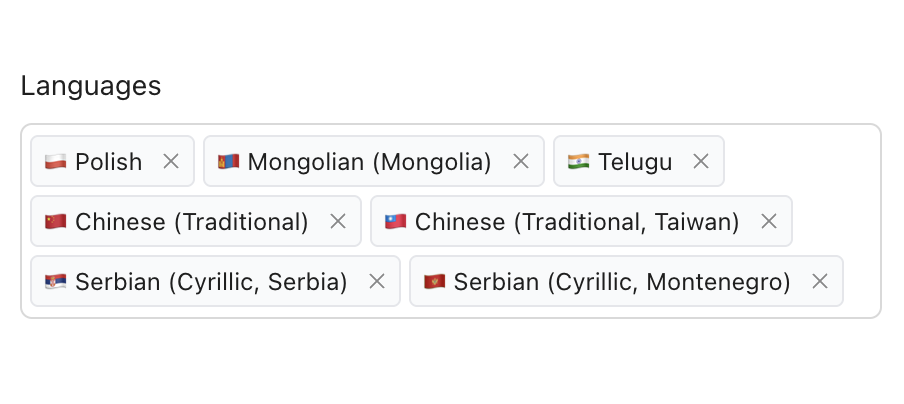
You can combine language conditions with other existing conditions - country, device type, time of day - to build multi-layer routing logic. A fallback URL handles anyone who doesn't match any condition.
The language dimension is also available in analytics: you can see the breakdown of clicks by browser language in the stats tab.
Read the full language routing guide →
API Keys v2 - Multi-Key System
The API key system has been rebuilt from the ground up. Previously, each workspace had a single API key. Now you can create as many keys as you need, each with its own name, expiry date, and permission scope.
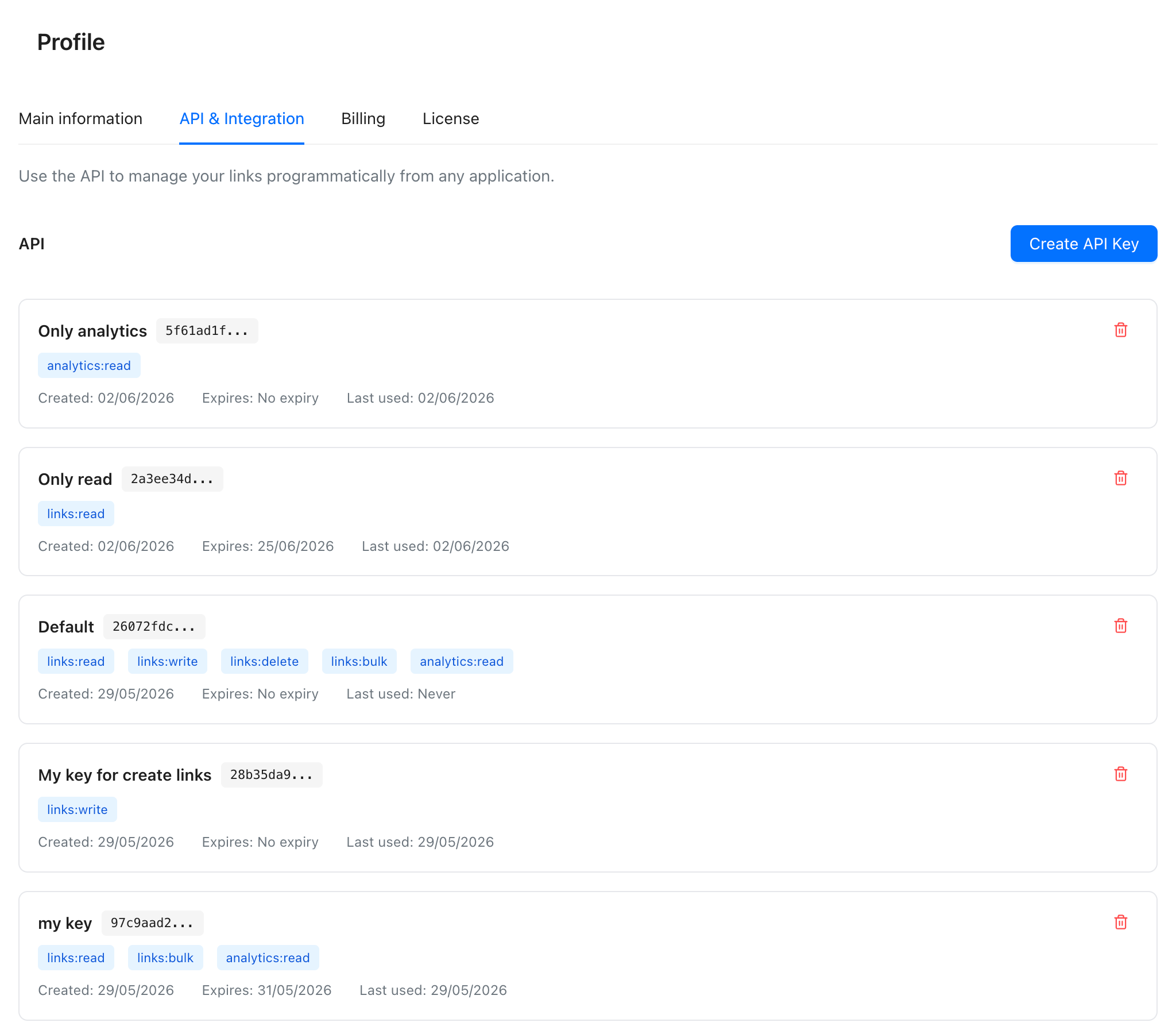
This makes it straightforward to give each integration its own key with only the permissions it actually needs. A read-only analytics dashboard doesn't need create or delete permissions - and now it doesn't have to have them. Revoke any key independently without affecting others.
Read the full API keys guide →
What's Next
More is in progress. If there's something specific you'd like to see in Revolink, you can reach us through the support chat in the dashboard.
Related Topics:

Maksym Yaroshchuk
Founder & CEO at Revolink. Writes about link management, marketing automation, and growth strategies.