Migrate your short links to Revolink:
from CSV to your whole team
Export your links from Bitly, Rebrandly, Short.io, Dub, TinyURL or t.ly, drop the file in, and have them live in a Revolink workspace the same day. Your own domains keep working, and Revolink AI fixes whatever is wrong with the file.
Free to try · Up to 5,000 links per file · Account created at the last step
What moves with your links, and what does not
No surprises on migration day. Here is exactly what the import carries over.
Moves over
- Destination URLs
- Short back-halves (slugs)
- Titles and tags
- Expiry and creation dates
- Your click total, kept as a "clicks before" figure
Does not move
- Short addresses on a vendor domain such as bit.ly get new rvlnk.link addresses
- The full click-by-click analytics history: only the total is kept, and Revolink tracks from the first click on the imported link
- Anything already printed or posted with a vendor address still points to your old account, so keep that account until you replace it
Your own domain keeps working
This is the part people worry about most, so here is how it works.
Links on your own domain
Add the domain in Revolink and verify it. Those links wait for verification, then go live on the same address, so everything you already printed or posted keeps working. The free plan includes 1 custom domain.
Links on a vendor domain
Domains like bit.ly, rebrand.ly or tinyurl.com belong to the vendor, so Revolink cannot serve them. These links move to rvlnk.link with new short addresses, or you can swap them to a domain of yours in the import's domains step.
Works with the shorteners you are leaving
Export your links as CSV, TSV or JSON, and Revolink recognizes the usual columns from these tools.
| Tool | Short domains we recognize |
|---|---|
| Bitly | bit.ly, bitly.com, j.mp |
| Rebrandly | rebrand.ly, rebrandly.com |
| Short.io | short.io, short.gy |
| Dub | dub.sh |
| TinyURL | tinyurl.com |
| t.ly | t.ly |
Columns look different in your file? Revolink keeps the file and shows your columns side by side after you sign up, so you point at the right one in about two clicks.
Something wrong with your export? Ask Revolink AI to fix it
Real exports are messy: a column matched wrongly, URLs with typos, slugs that are already taken, mixed domains. Attach your import to the AI chat with @ (the import wizard attaches it for you) and describe the problem in plain words.
- Remap a column that was matched to the wrong field
- Fix broken or mistyped rows: URL, slug, title, tags, domain, dates
- Turn rows into plain links or set how they route
- Review every change as a before and after card before anything runs
Changes are applied only after you confirm them, up to 100 rows at a time. The AI never starts the import for you.
More about Revolink AI chat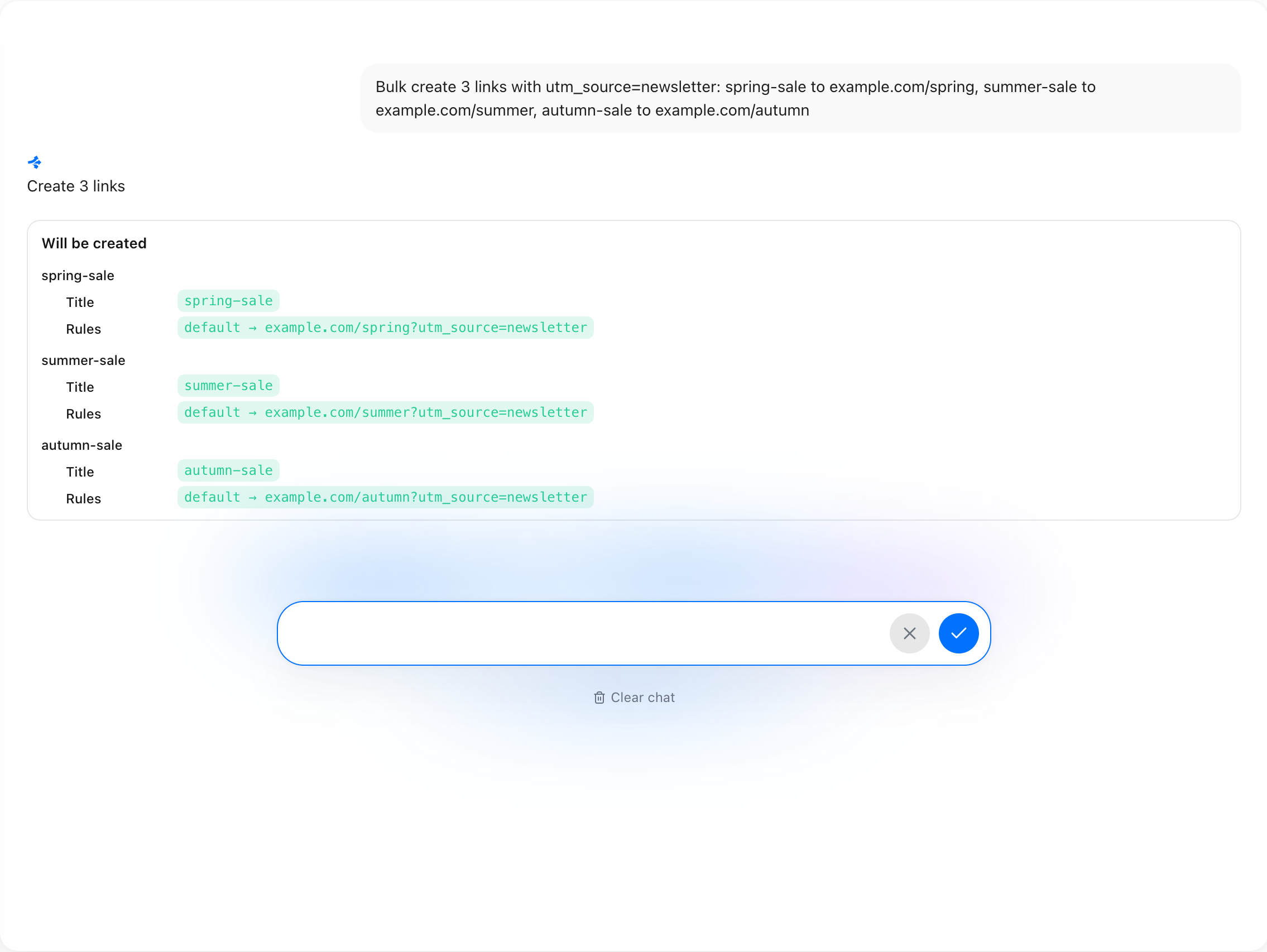
From a CSV to your whole team
Once your links are in, the rest of the workspace is ready for the people who will work with them.
Will it fit my plan?
The free plan holds 25 links and 1,500 tracked clicks a month, with 1 custom domain. If your file is bigger, the import shows which plan it needs before you commit. One file takes up to 5,000 links.
See pricingMigrating short links, answered
Your links are one file away
Upload the export, let Revolink AI clean it up, and invite your team when it is ready.
Start for freeFree plan · No credit card
Explore more Revolink features