Revolink 1.5 Release Notes - Import, AI Chat, SSO and Safer Roles
Two themes this release: moving your links in, and working together as a team. Here is everything that ships, with the screens.
Last updated: October 2026 · Click any screenshot to enlarge it.
Move your links over in one guided flow
Moving links from another shortener is now a guided link import: File, Columns, Domains, Tags, Links, Done. AI suggests how your file's columns map to Revolink fields, you pick a colour and an icon for each new tag, and an unfinished import can be resumed where you left it.
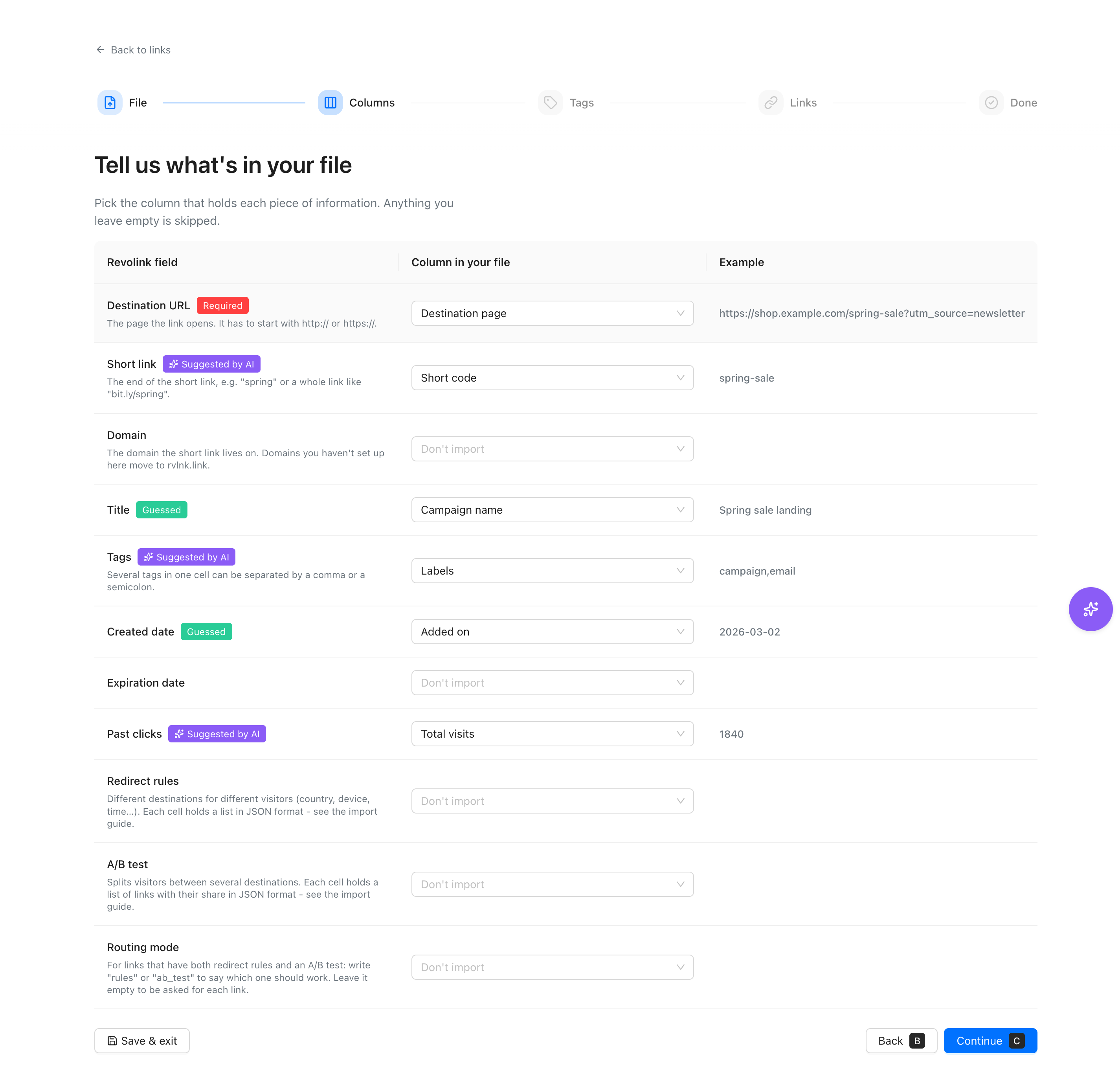 See the import tool
An AI chat that works with your workspace
The Revolink AI chat now lives in a floating Ask AI widget that knows which page you are on, shows what it did, and lets you rate every answer. Type @ to attach imports, links, domains, or tags, and review every proposed change before it runs.
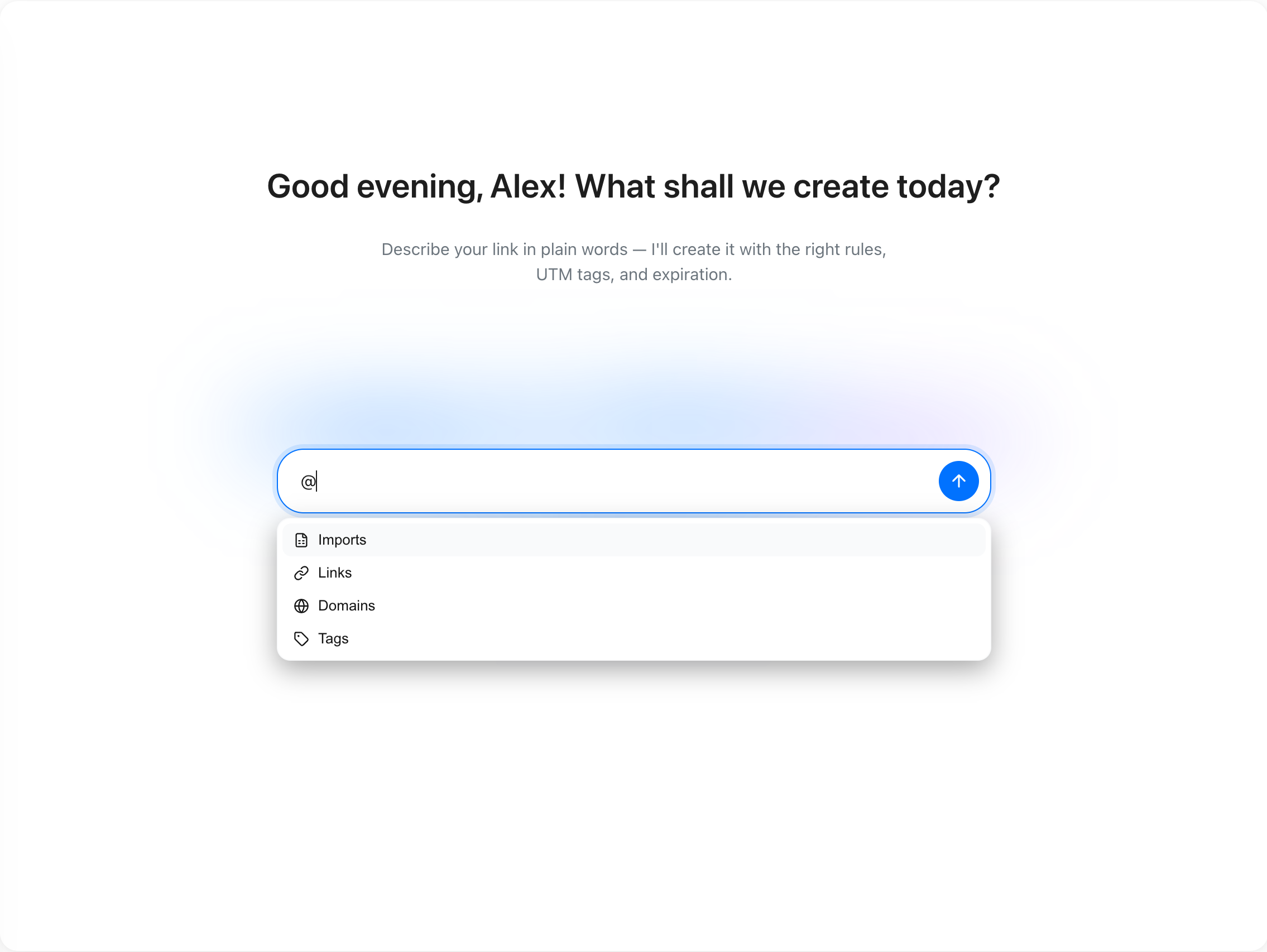 Explore Revolink AI
Single sign-on for your team
Workspaces on the Business plan can now use single sign-on (SSO) over SAML 2.0 or OpenID Connect. Verify your email domain with a DNS TXT record, connect your identity provider, run a test sign-in, and require SSO when you are ready.
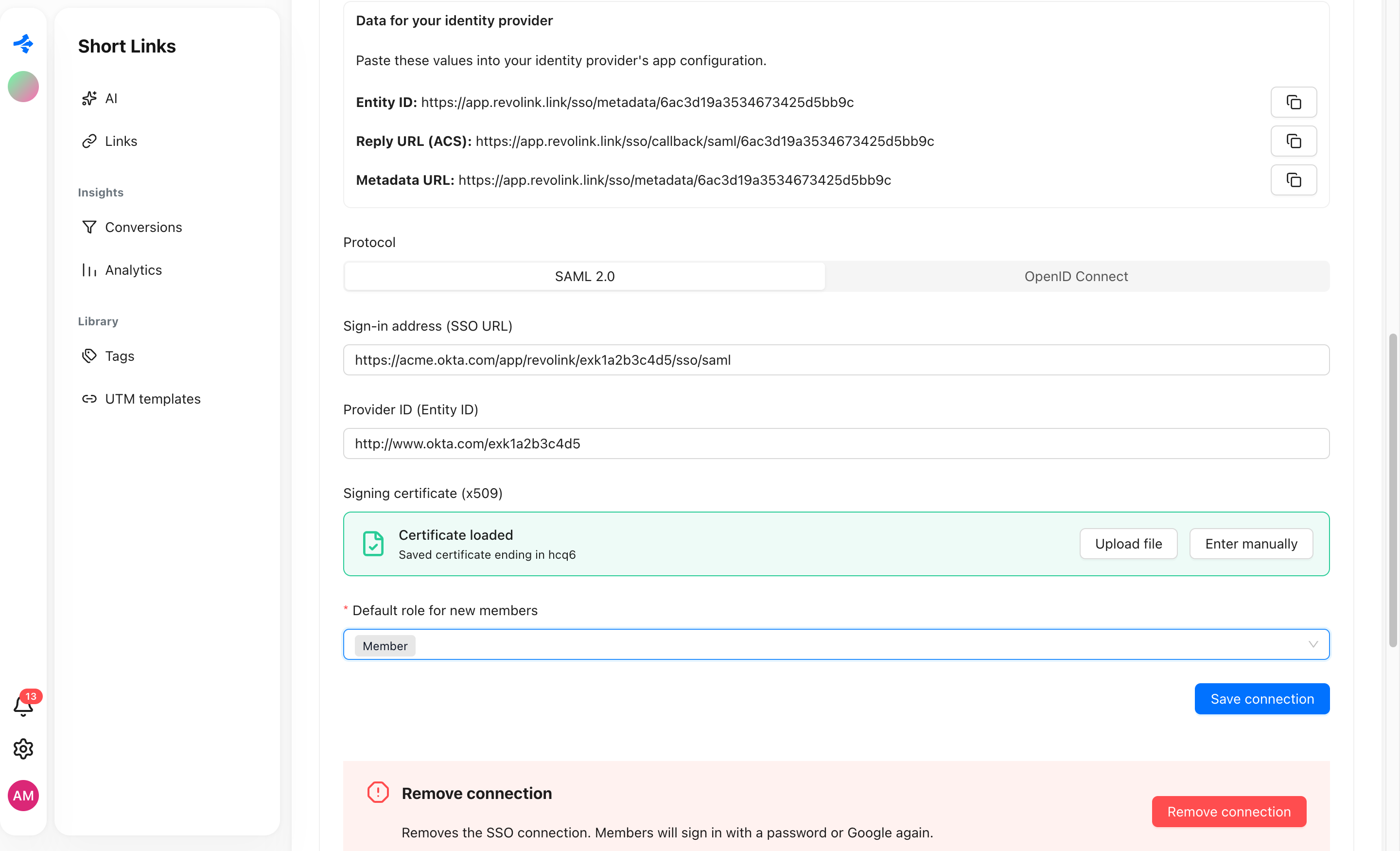 Read about SSO
A first screen with one job
New accounts now start on a single field: paste a long link and get a short one you can share right away. A first steps checklist then shows what to do next.
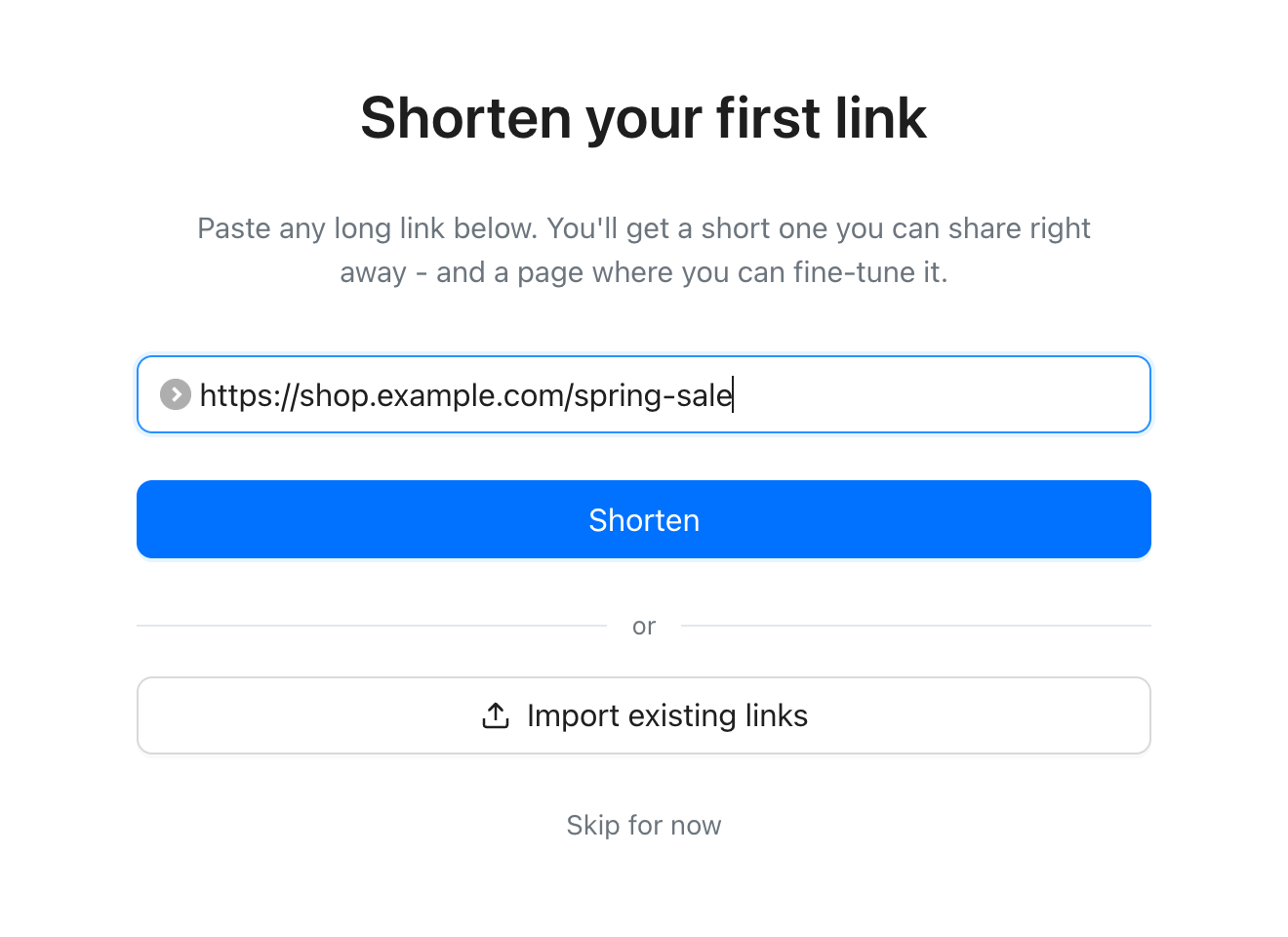 Start with a free account
Safer roles
Sensitive permissions in workspace roles - managing SSO, changing member roles, removing members, editing or deleting any link, importing links, and adding or deleting domains - are flagged in red, never switched on by a group toggle, and each one needs its own confirmation.
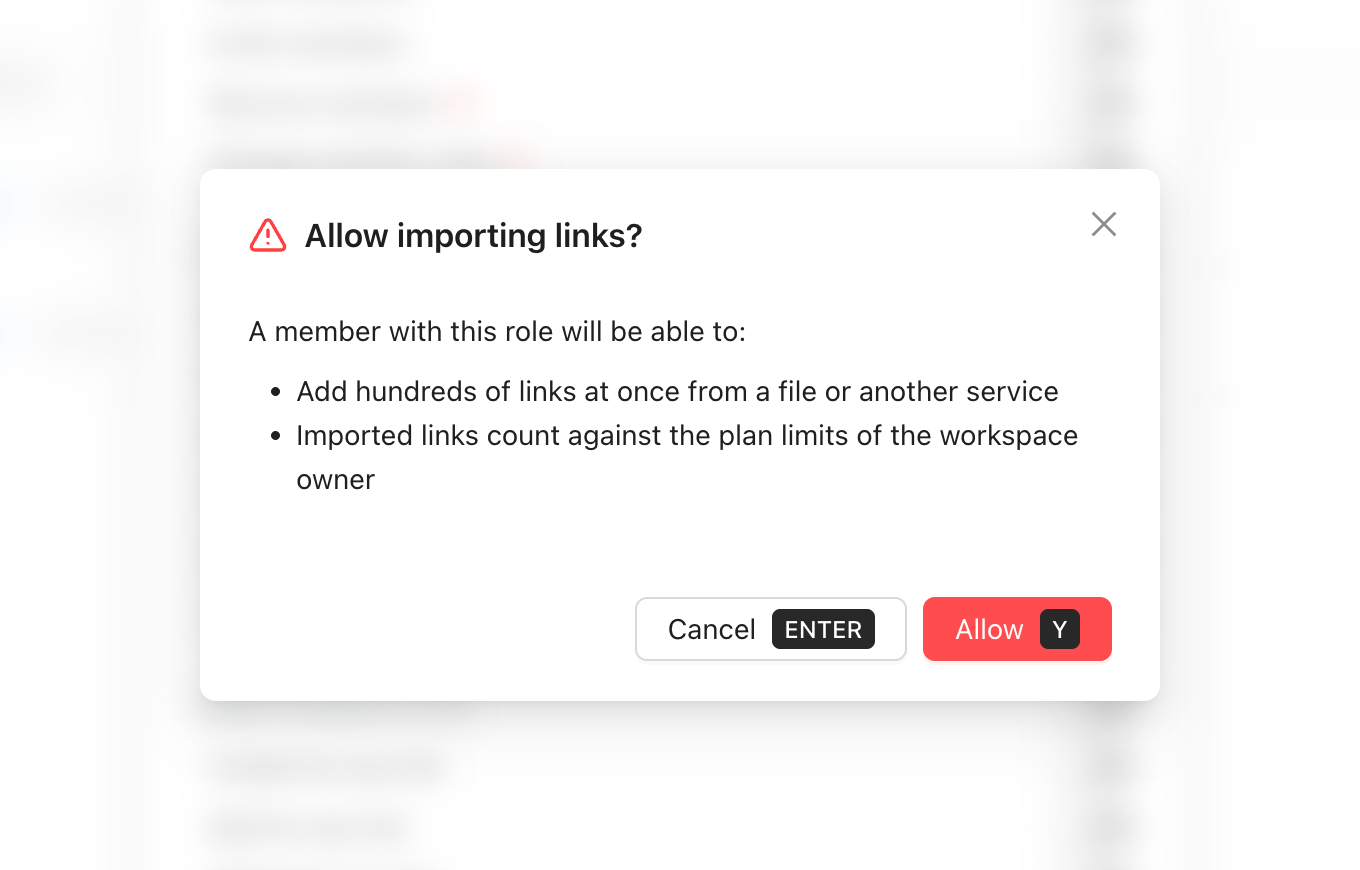 See workspace roles
And a few smaller things
Common questions
What is new in Revolink 1.5?
Five main changes: a guided link import with AI column mapping, an AI chat that works with your workspace, single sign-on for Business workspaces, a first screen with one field, and safer workspace roles.
Which plan includes single sign-on?
The Business plan. SSO requires it, and the other plans do not include it.
Is the link import free to use?
The import tool is free to use. Imported links count against the plan limits of the workspace owner.
Does the AI chat change my links without asking?
No. Every change it proposes is shown to you first and only runs after you confirm it.
How do I set up single sign-on?
Open the SSO tab in workspace settings: verify your email domain with a DNS TXT record, connect your identity provider over SAML 2.0 or OpenID Connect, and run a test sign-in before you require SSO.
Move your links over today
Import from Bitly or any CSV, ask the AI about your workspace, and bring your team in with single sign-on when it grows.
Start for freeFree plan · No credit card