Import your links into Revolink
from Bitly, Rebrandly or a plain CSV
Upload your export and your links land in a Revolink workspace - shortened, editable after publishing, and tracked from the first click. We detect the format, you create your account at the last step.
Drop your export here
CSV, TSV, or JSON
or browse filesHow the import works
Export your links
From your current shortener, export your links as CSV, TSV, or JSON - most tools support this from their dashboard settings.
Upload and review
Drop the file above. We detect the source, count links, domains, and tags, and show you the recommended plan for that volume.
Create your account
Click import, register for free, and your staged links land in your new workspace automatically - no manual re-entry.
What you will see after you upload
These are real screens from the Revolink app. Every step shows you what will happen before a single link is created. Click any screen to enlarge it.
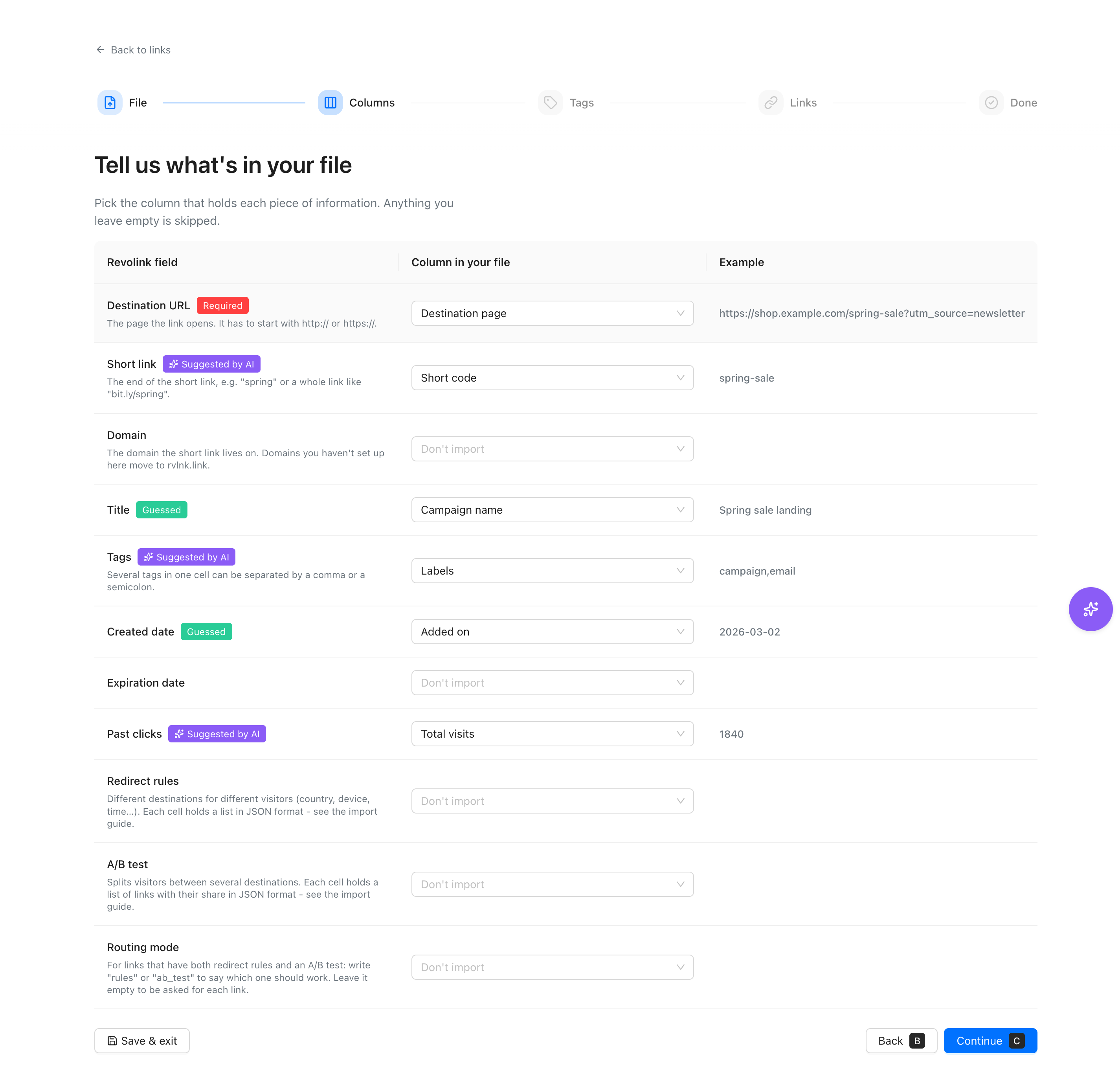
Match your columns
Exports from known services are matched automatically. For files with custom headers the app suggests a match with AI. Either way, you can change any column before moving on.
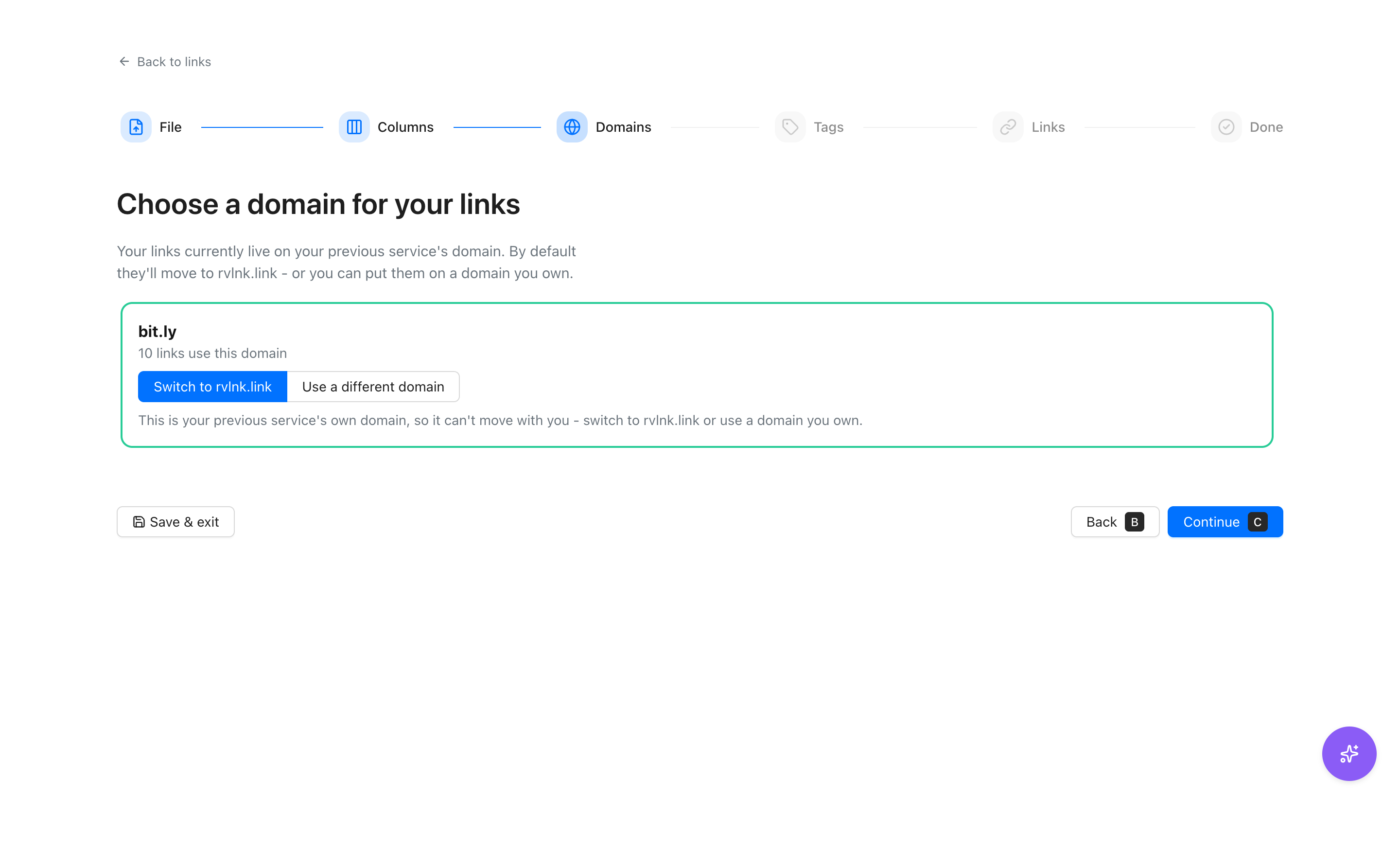
Choose a domain
Links that lived on your old service's own domain, such as bit.ly, cannot move with you. By default they move to rvlnk.link, or you can put them on a domain you own.
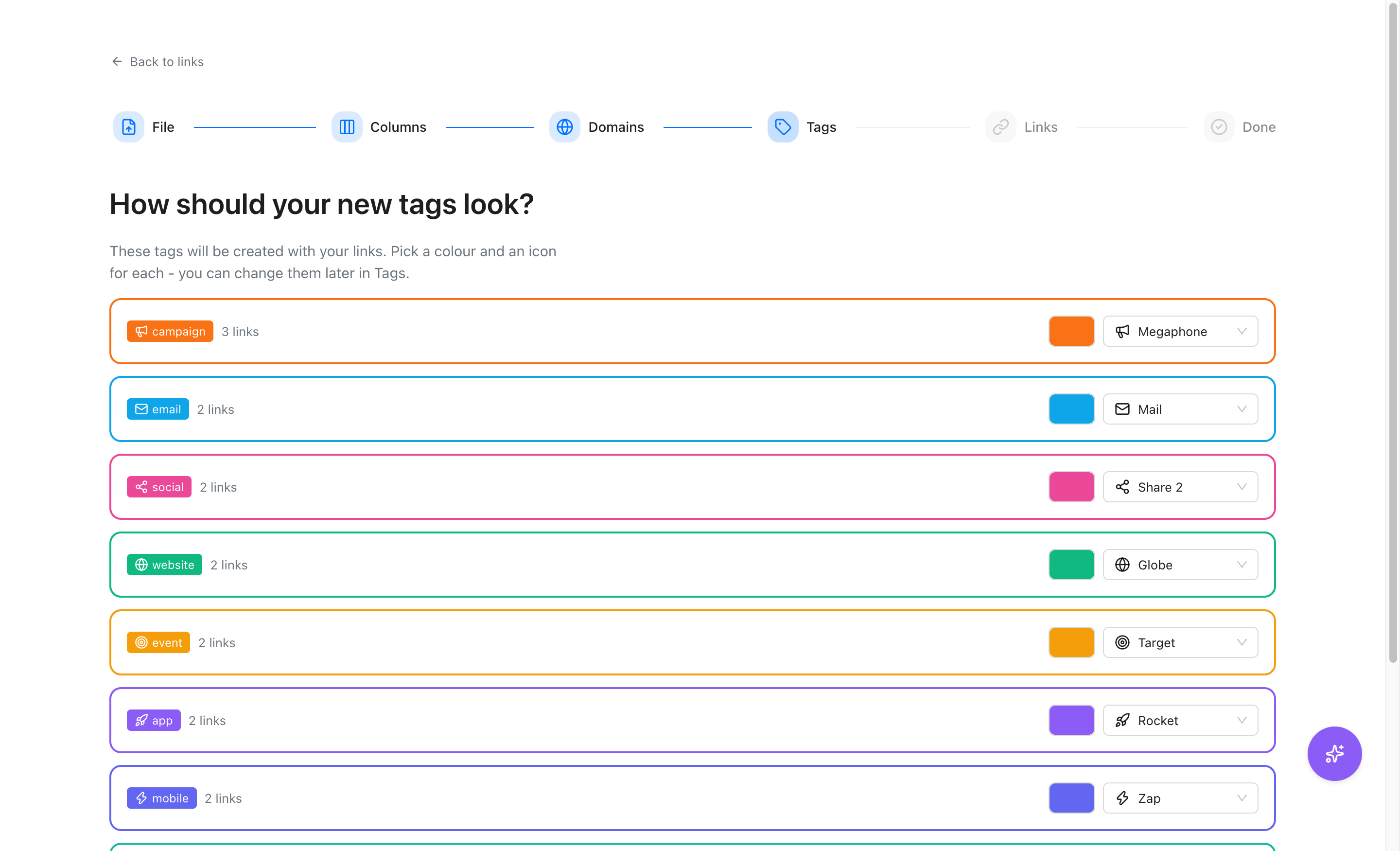
Give new tags a look
The tags from your file are created together with your links. Pick a colour and an icon for each one, and change them later in Tags.
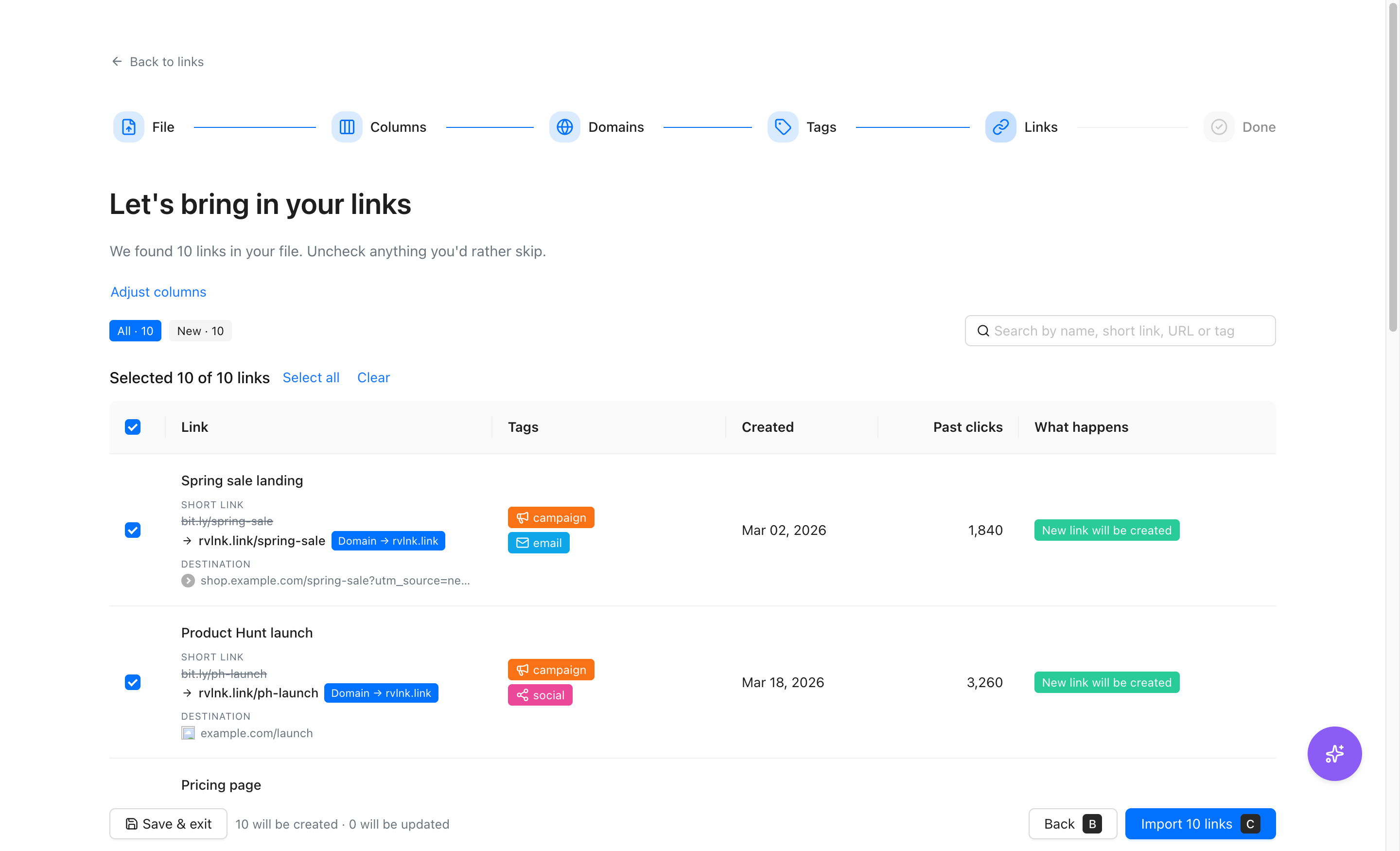
Review every link
See each link, its new short link, where it points and what will happen to it. Uncheck anything you would rather skip.
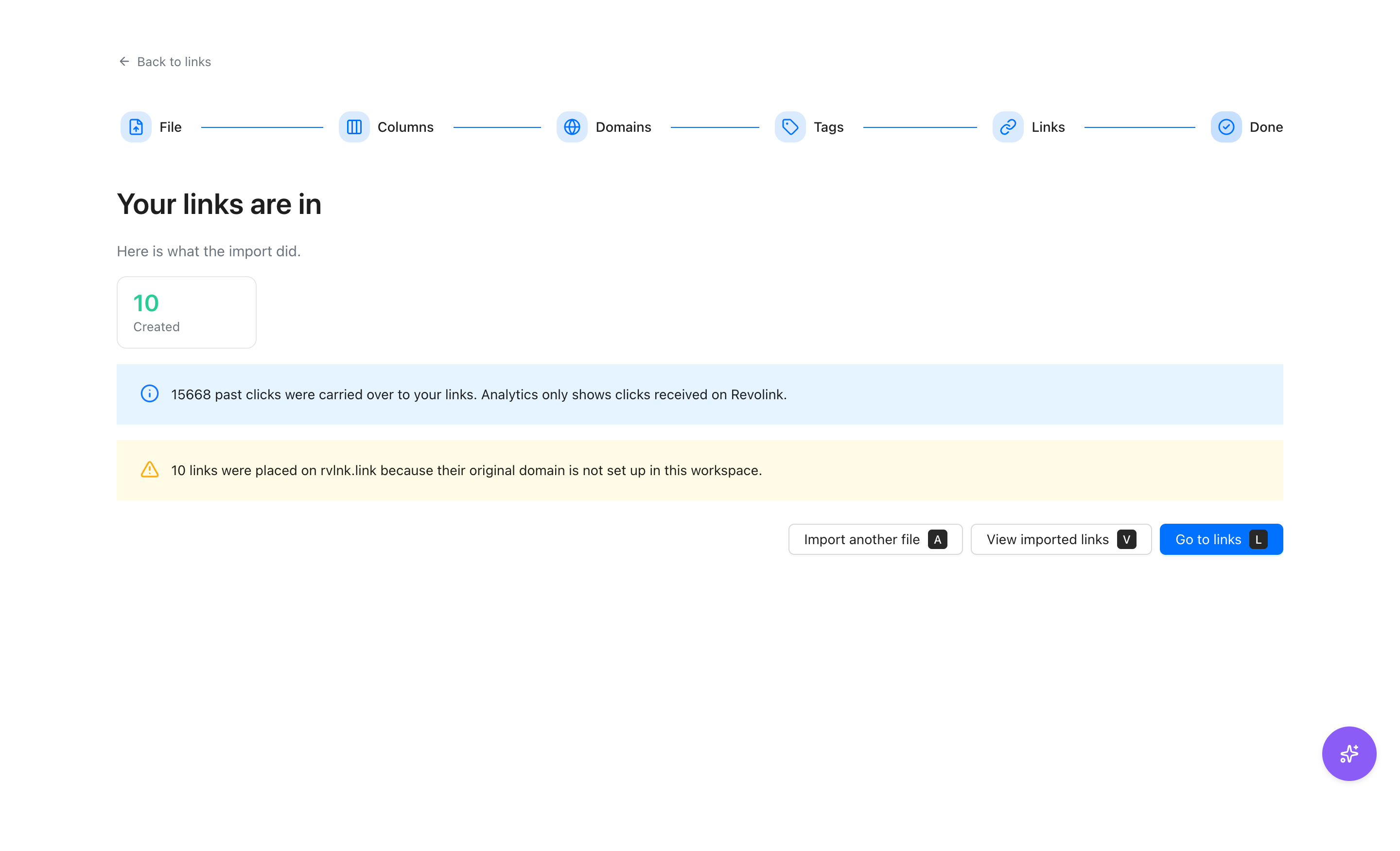
Your links are in
The summary shows how many links were created and how many past clicks were carried over to them. Analytics only shows the clicks received on Revolink.
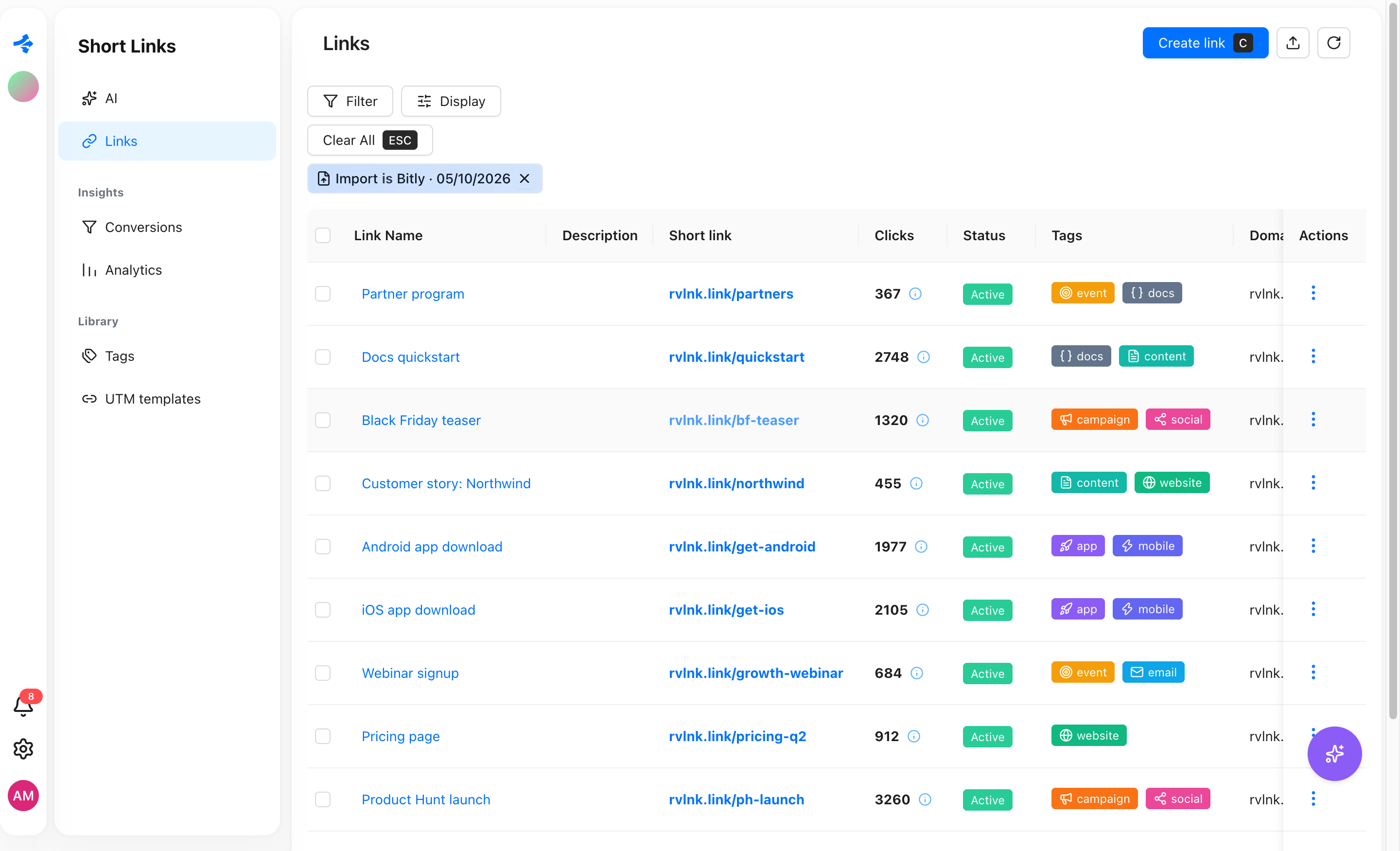
Find them in your workspace
The imported links appear in your Links list with their tags, their new short links and the clicks they had before.
It is not a file converter
Nothing here hands you a cleaned-up spreadsheet back. The output is a Revolink workspace with your links already in it. That is why it is free and why it always has been: it exists to move you onto Revolink, not to be a utility you keep returning to.
So the honest version is this. If you want to try Revolink and your links live somewhere else, this is the shortest path - you do not retype anything. If you only wanted to read your own CSV, a spreadsheet does that better and you do not need us.
What your links can do once they are here: shorten onto your own domain, get edited after you have already published them, route visitors by country, device, OS, browser, language or time of day, and report clicks as they happen.
Coming from another shortener? Read the full migration guide: what moves and what does not, how your own domain keeps working, and how Revolink AI can fix problems in your file before you import.
Import, answered
What file formats can I upload?
CSV, TSV, and JSON. Export your links from your current shortener in any of these formats and drop the file in - we parse it on our servers, nothing happens client-side.
Which link shorteners can Revolink recognize?
We automatically detect common export formats, including Bitly and Rebrandly. If your columns are custom and we can't match them, we still keep the file - you map the columns yourself in the app after registering, which takes about two clicks.
Do I need an account to try this?
No. Uploading and staging your file is free and doesn't require signing up. You only create a Revolink account at the final step, right before the import actually runs - which is the point of the tool: it exists to move you onto Revolink.
What happens to the file I upload?
It's stored privately and parsed on our servers to count links, domains, and tags, and to prepare the staged import behind your stageToken. Nothing is imported into any account until you register and confirm, and the staged file is deleted automatically after a week.
How many links can one file hold?
Up to 5,000 rows per upload. If your export is bigger, split it into several files and upload them one after another - each one stages separately.
Is there a free plan if my link count is small?
Yes - Revolink's free plan covers 25 links and 1,500 tracked clicks/month with 2 routing rules per link. The import itself isn't paywalled: if your file is larger than the free limits, we'll show you which plan it needs before you commit.
Can Revolink AI fix problems in my file?
Yes. Attach the import to the Revolink AI chat with @ (the import wizard attaches it for you) and describe the problem. It can remap a column, fix rows, make rows plain links or set their routing. Each change is shown as a before and after card, runs only after you confirm, and the AI never starts the import itself.
Route Smarter. Convert More.
Stop sending everyone to the same page. Route by location, device, and time - start free, no credit card required.
Start for Free - No Card RequiredFree forever · No credit card · Cancel anytime
Already have links? Import them