Single Sign-On (SSO) - Your Identity Provider, Your Team's Login
Let your team sign in to Revolink through the identity provider you already use - SAML 2.0 or OpenID Connect, with no separate passwords to manage.
Last updated: October 2026
Moving from another link shortener? See how to migrate your links
Your identity provider
Okta, Entra ID, Google Workspace, Auth0, Keycloak
Revolink SSO
SAML 2.0 or OpenID Connect
Your team
Sign in with a work email
Without SSO
One more password for one more tool.
Every teammate keeps yet another password for yet another tool.
Access to Revolink lives outside the identity provider your company already manages.
Nothing proves that a sign-in comes from your company's own email domain.
With SSO
Revolink signs people in through your identity provider.
Teammates type their work email on the sign-in screen and continue with SSO.
You add your email domain once and prove you own it with a DNS TXT record.
Switch on "Require SSO" and members with a verified domain are redirected to your identity provider.
As workspace owner you always keep password access as a fallback.
Set it up in four steps
Click any screenshot to enlarge it.
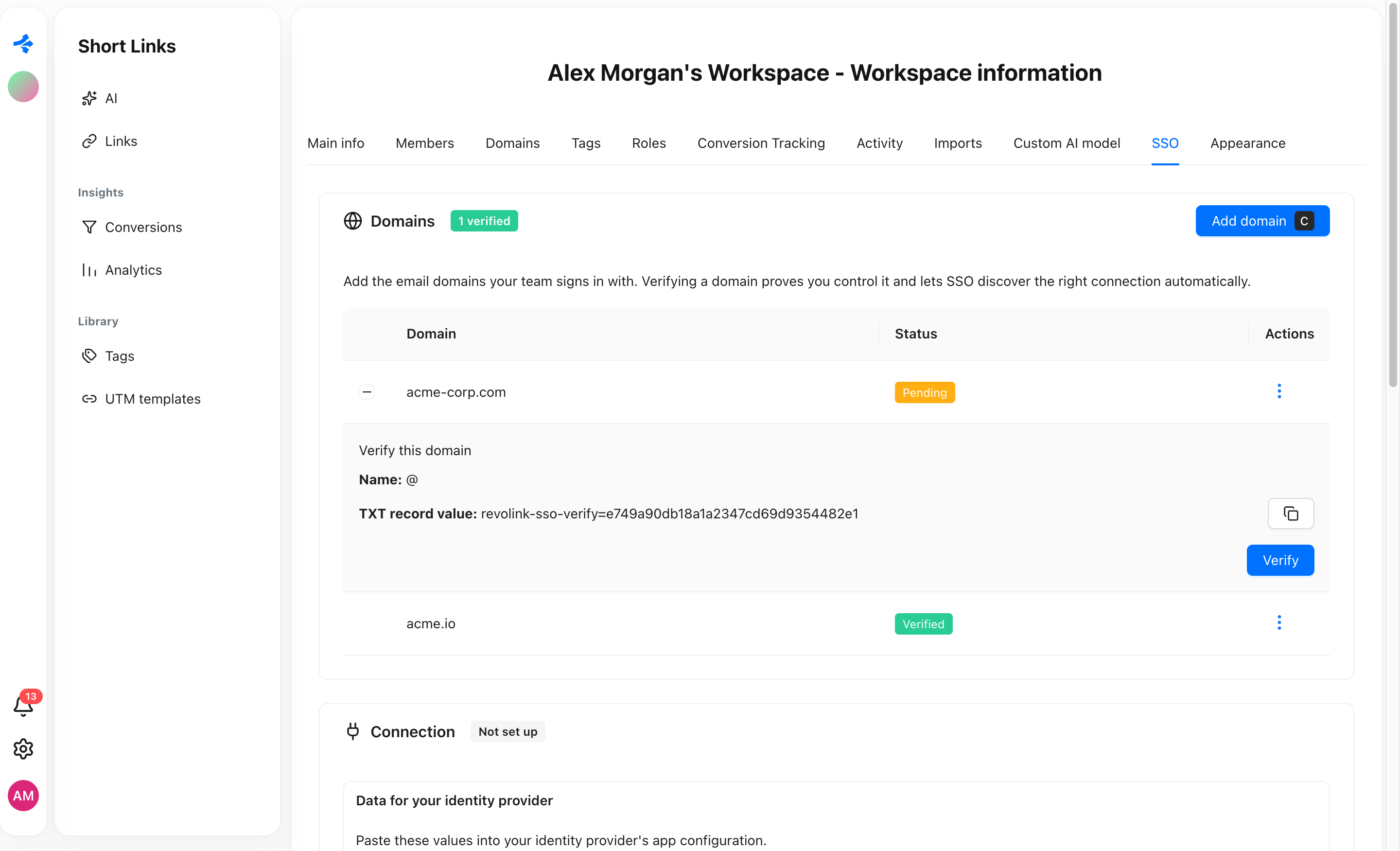
1. Verify your email domain
Add the domain your team signs in with. Revolink gives you a DNS TXT record (name @, plus a value) to publish; once it is found, the domain turns Verified. Public email providers like Gmail can't be used.
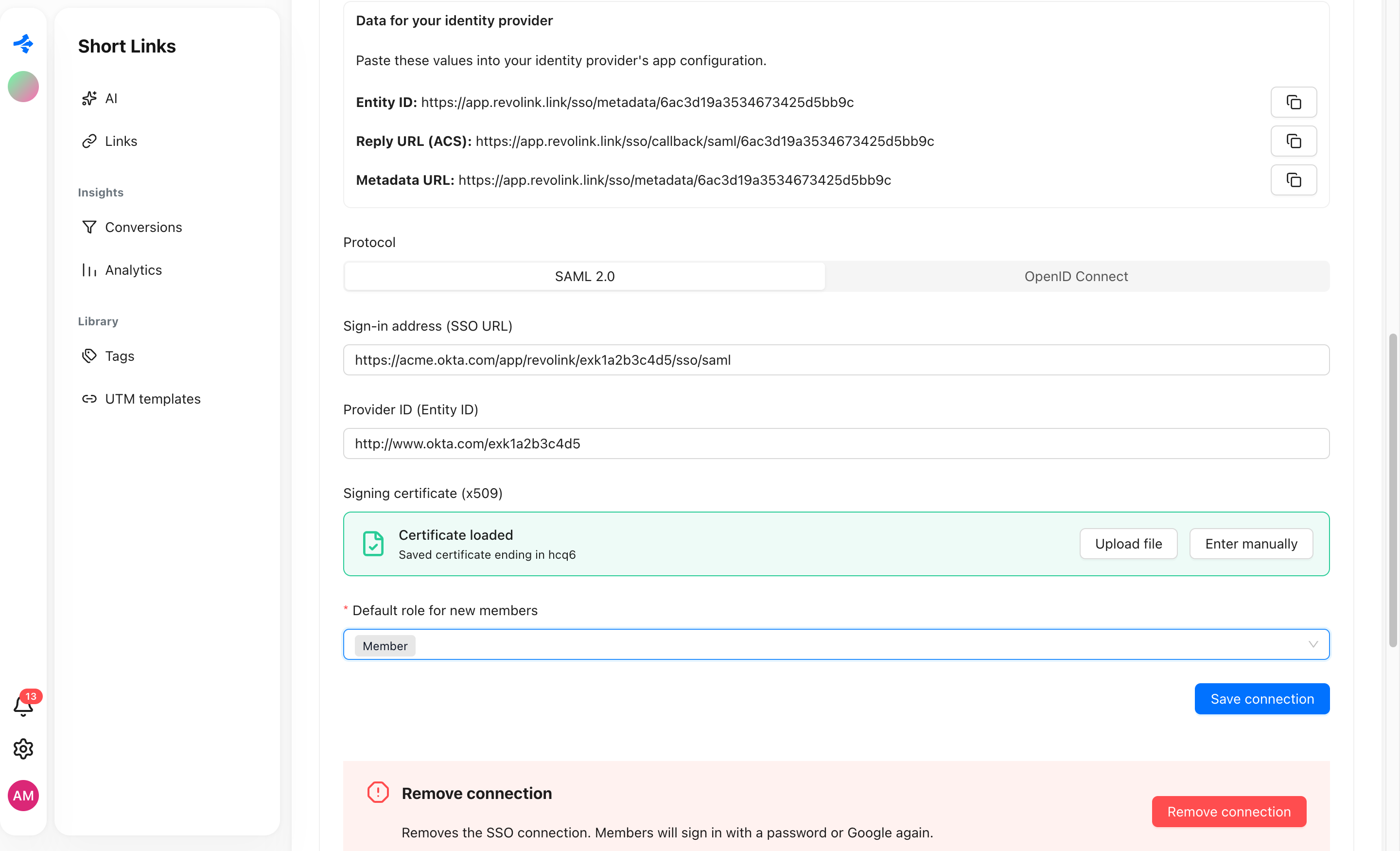
2. Connect your identity provider
Choose SAML 2.0 or OpenID Connect and paste your provider's sign-in address and ID. Upload the signing certificate (.cer, .crt, or .pem) or paste it in, and pick the default workspace role for new members. The Entity ID, Reply URL (ACS), and Metadata URL for your provider's app are shown right above the form.
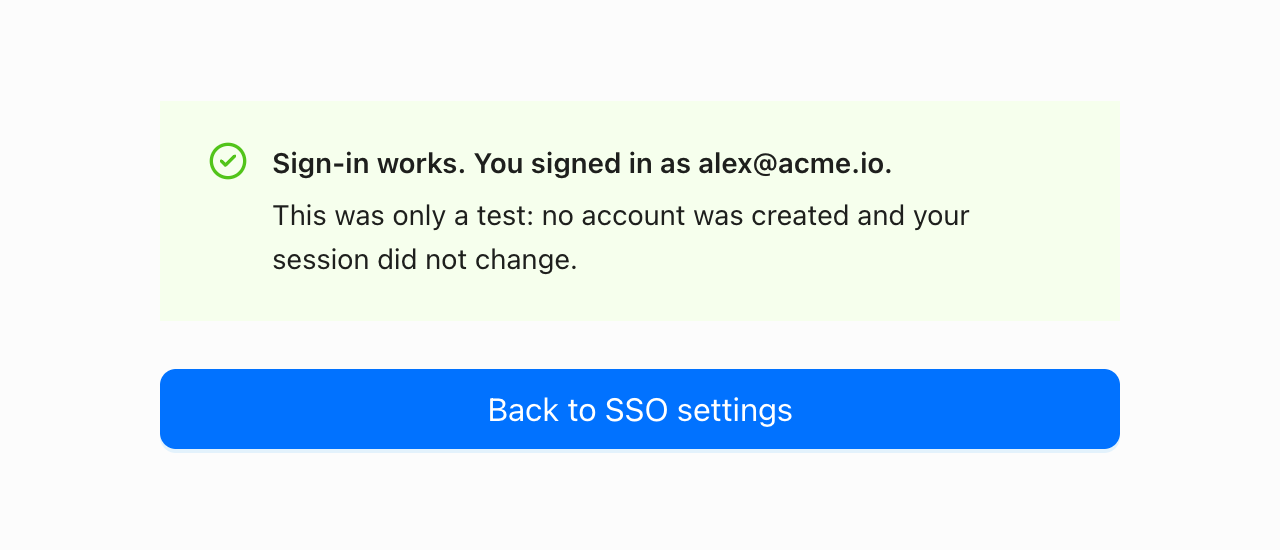
3. Test the sign-in first
Run a test sign-in before you require anything. It confirms the sign-in works, and no account is created and your session does not change.
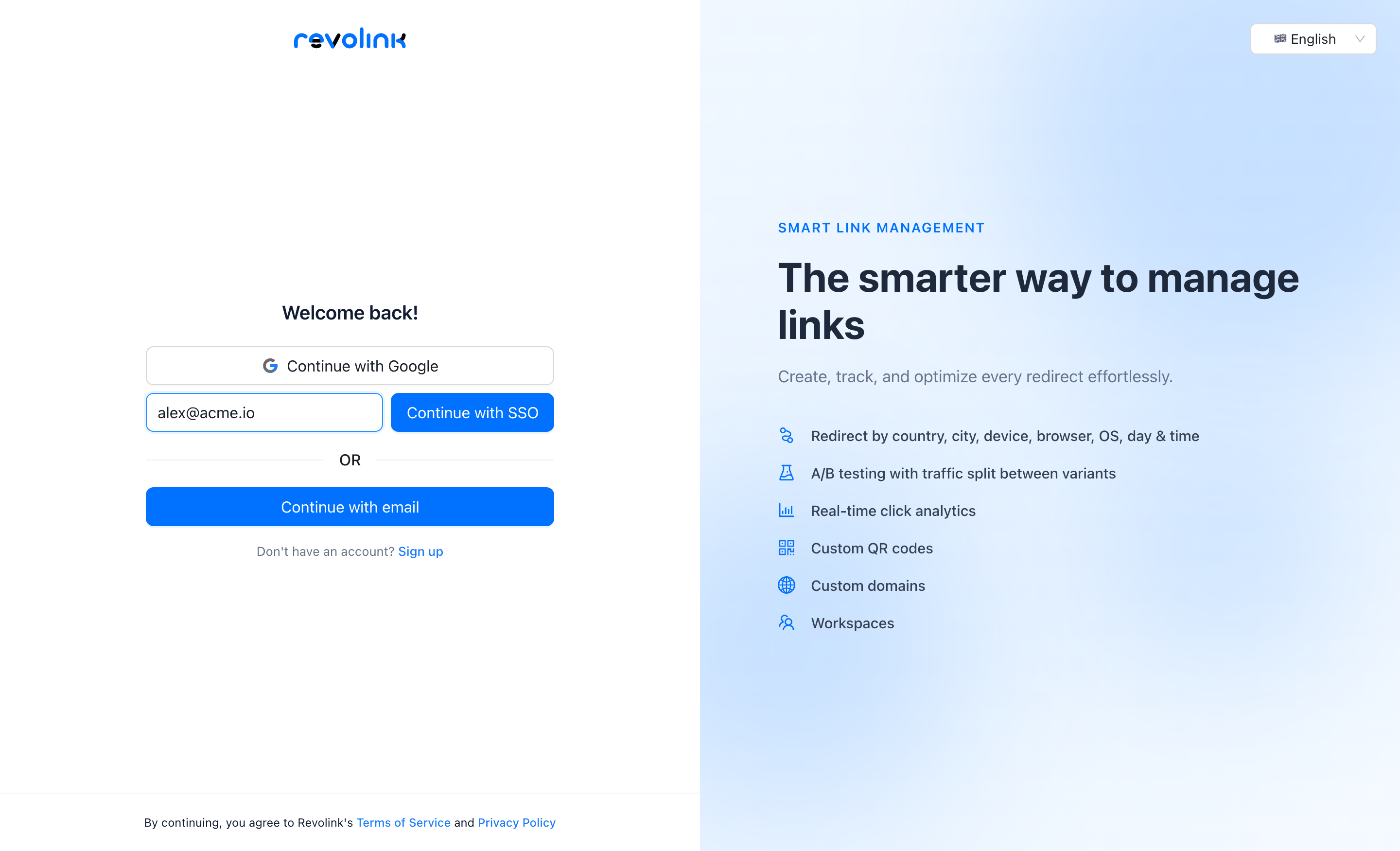
4. Your team signs in with a work email
On the sign-in screen, members type their work email and continue with SSO. Turn on "Require SSO" when you are ready.
What you can configure
The controls that are in the SSO tab today.
Two protocols
Connect over SAML 2.0 or OpenID Connect, whichever your identity provider supports.
Domain verification
Prove you control an email domain with a DNS TXT record before SSO uses it.
Signing certificate
Upload a .cer, .crt, or .pem file, or paste the certificate in manually.
Default role
Choose the role new members get when they join through SSO: Manager or Member.
Require SSO
Optional. Members with a verified domain are sent to your identity provider; you keep password access as owner.
Visibility
See the last SSO sign-in and how many people joined through SSO.
2
Protocols: SAML 2.0 and OIDC
TXT
DNS record proves the domain
Test
Sign-in check before you enforce
Business
Plan with SSO
Common questions
Which identity providers can I use?
Revolink connects through SAML 2.0 or OpenID Connect. The SSO settings name Okta, Entra ID, Google Workspace, Auth0, and Keycloak as examples.
Which plan includes SSO?
The Business plan. Single sign-on requires it, and the other plans do not include it.
Do I have to prove I own my domain?
Yes. You publish a DNS TXT record and verify it. Public email providers such as Gmail can't be used for SSO.
Can I try it before forcing everyone to use it?
Yes. Run a test sign-in first: no account is created and your session does not change. Requiring SSO is a separate switch.
What happens to passwords when SSO is required?
Members with a verified email domain can no longer sign in with a password or Google; they are redirected to your identity provider. You, as workspace owner, always keep password access as a fallback.
What if I remove the SSO connection?
Members sign in with a password or Google again, and the domains you added stay in place. People who joined only through SSO have no password yet, so they use "Forgot password?" to set one.
Route Smarter. Convert More.
Stop sending everyone to the same page. Route by location, device, and time - start free, no credit card required.
Start for Free - No Card RequiredFree forever · No credit card · Cancel anytime
Already have links? Import them