What Is MCP?
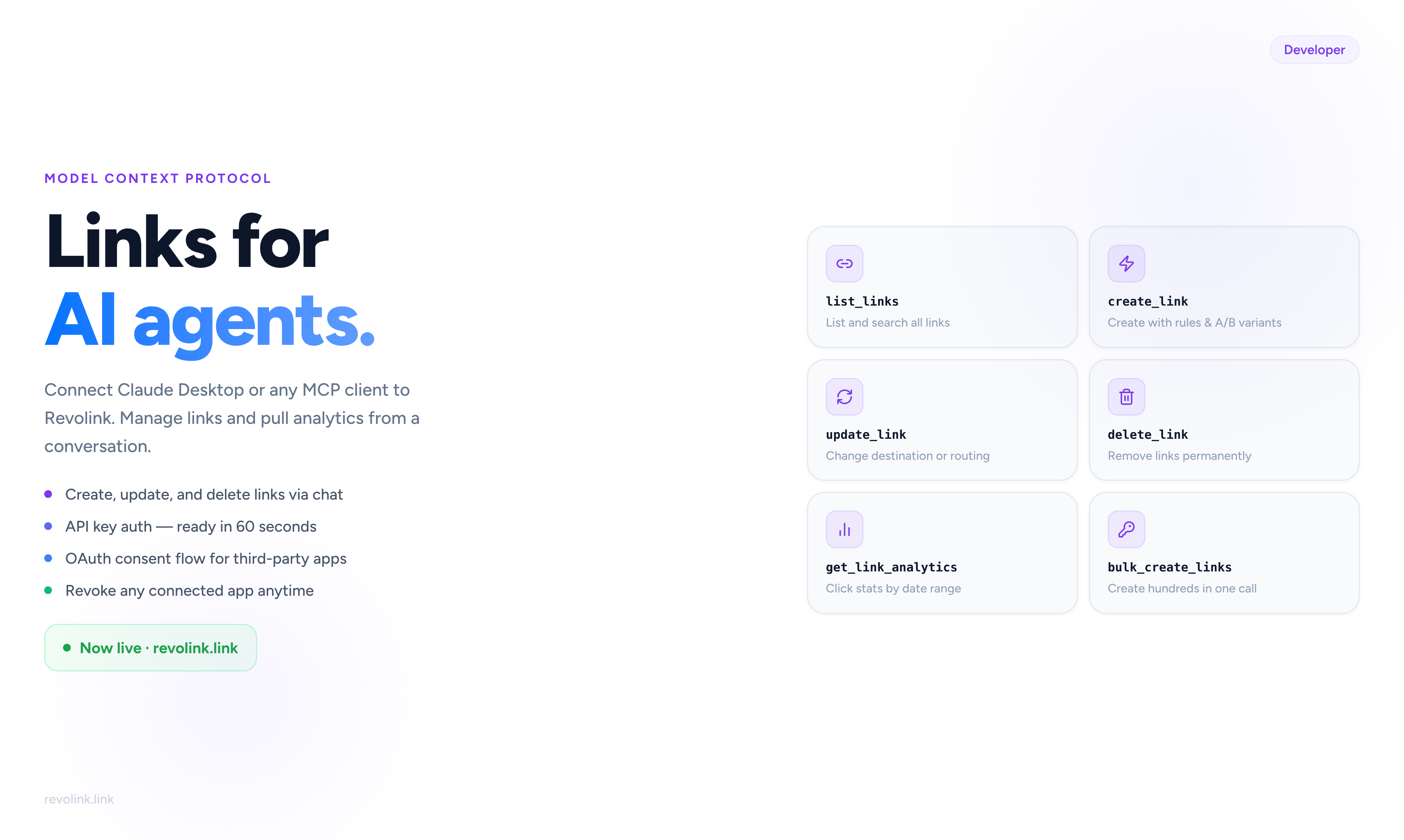
Model Context Protocol (MCP) is an open standard that lets AI assistants talk to external tools and services. Instead of copying and pasting data into a chat window, you connect your AI client directly to Revolink - and it can read and write data on your behalf.
Revolink now has a built-in MCP server. Any MCP-compatible client can connect to it.
What the Server Can Do
The Revolink MCP server exposes two groups of tools:
Link management - list your links, create new ones, update destinations and routing rules, delete links, or bulk-create dozens of links at once. Everything you can do in the dashboard, you can do from a conversation.
Analytics - pull click statistics for any link, or for all links in a workspace, filtered by date range. Ask your AI agent how a campaign performed and it will fetch the numbers directly.
Connecting with an API Key
The simplest way to connect is with an API key.
Go to Settings → Integrations → API Keys, create a new key, and enable the MCP permissions you need - read links, write links, read analytics, or any combination.
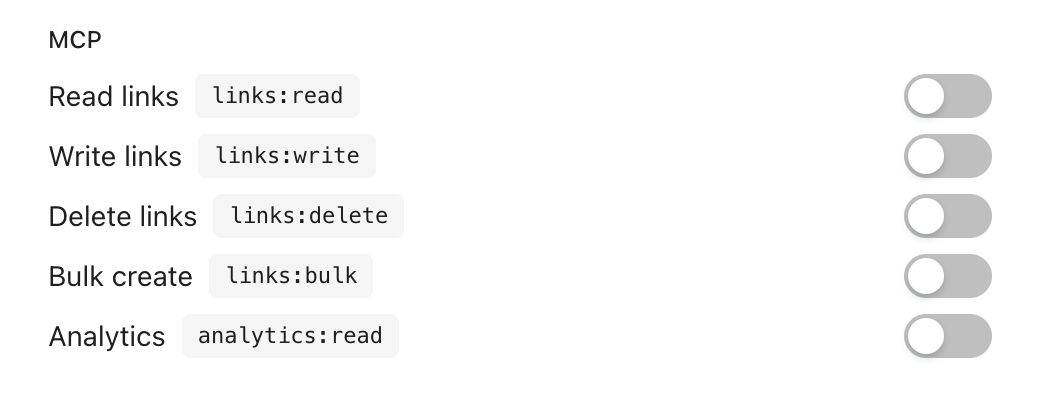
Then add the server to your MCP client config:
{
  "mcpServers": {
    "revolink": {
      "url": "https://api.revolink.link/mcp",
      "headers": {
        "Authorization": "Bearer YOUR_API_KEY"
      }
    }
  }
}
That's it. Restart your client and Revolink tools will appear in the available tool list.
Connecting via OAuth (for Apps)
If you're building an app that connects on behalf of other users, use the OAuth flow instead.
Your app redirects the user to the Revolink consent page. The user sees exactly which permissions your app is requesting, then approves or denies.
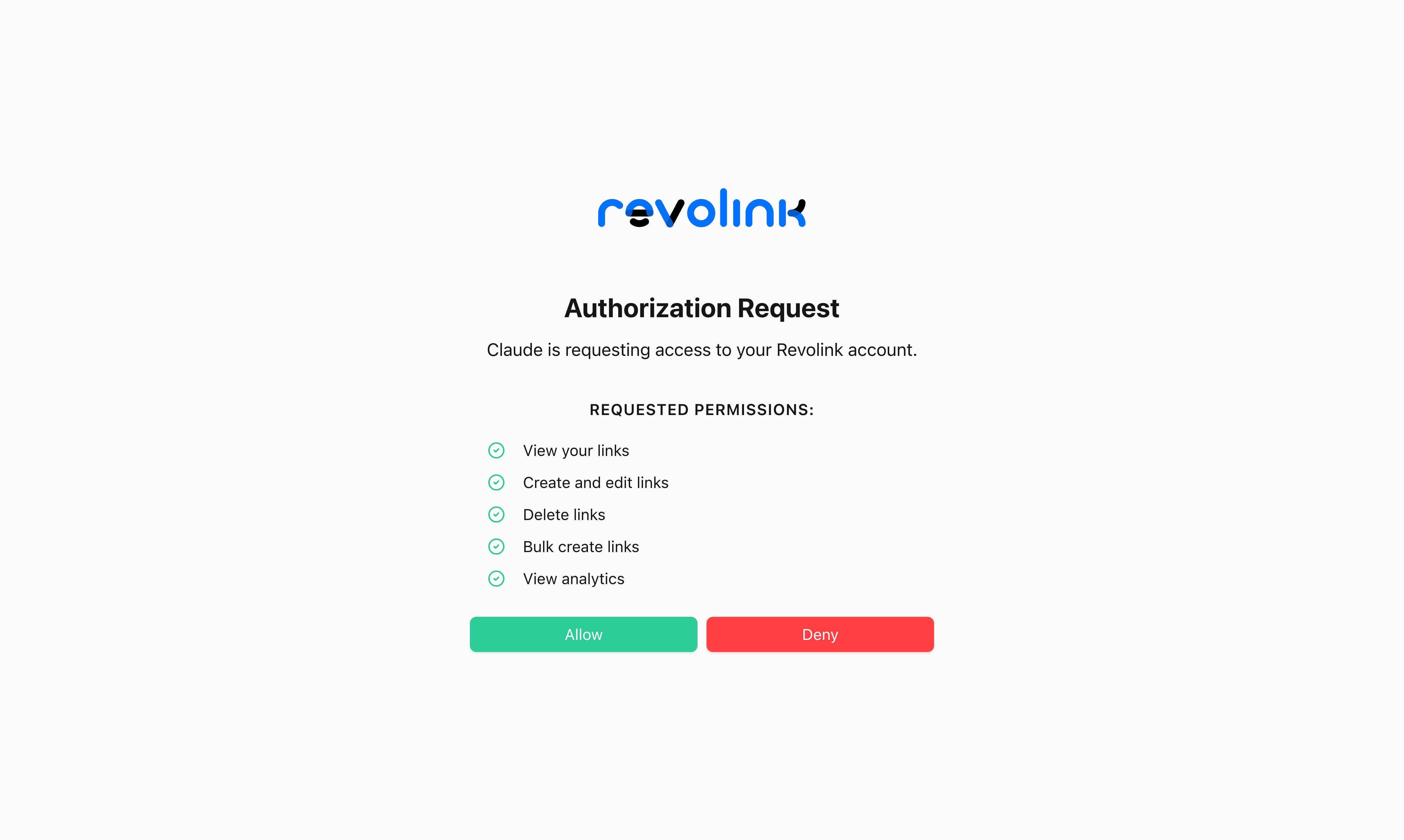
After approval, your app receives an access token scoped to the permissions the user granted. No broader access than what was approved.
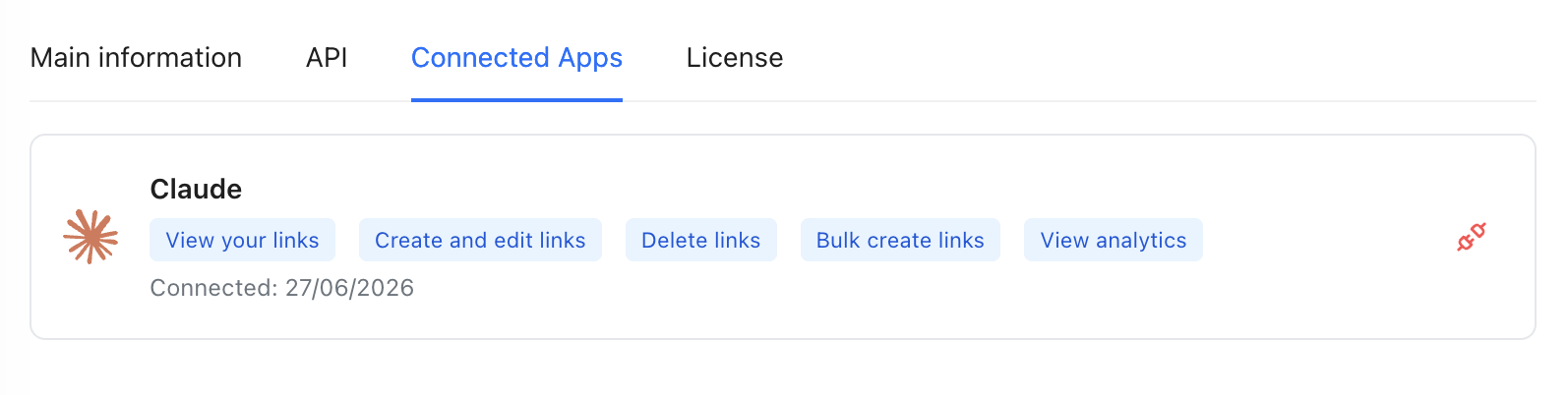
Users can see every connected app and revoke access at any time from Settings → Connected Apps.
Example: Claude Desktop
Once connected, you can ask Claude Desktop things like:
- "Create a link to revolink.link that redirects mobile visitors to the App Store and desktop visitors to the main site."
- "How many clicks did my campaign links get last week, broken down by country?"
- "Update the destination URL of the link with slug 'summer-sale' to the new landing page."
Claude calls the MCP tools automatically - you don't need to know the API format.
Example: Custom Automation
You can also use the MCP server from any code that speaks MCP. Build a script that reads a CSV of destinations and bulk-creates 500 links in one call. Or connect a monitoring tool that checks link click counts and alerts you when traffic drops.
The server handles authentication, rate limiting, and workspace permissions - the same rules as the REST API.
Available Tools
| Tool | What it does |
|---|---|
list_links |
List links in a workspace with pagination |
create_link |
Create a Smart Link with routing rules, A/B variants, and settings |
update_link |
Update destination, rules, slug, tags, or any other field |
delete_link |
Delete a link permanently |
bulk_create_links |
Create multiple links in one call |
get_link_analytics |
Click stats for one link, by date range |
get_workspace_analytics |
Aggregated stats for all links in a workspace |
What's Next
The MCP server is live now. API key auth is available on all paid plans. OAuth is available for third-party integrations - reach out via the support chat if you're building something and need the OAuth credentials.
Related Topics:

Maksym Yaroshchuk
Founder & CEO at Revolink. Writes about link management, marketing automation, and growth strategies.