RQL Link Filters
Write the Question, Get the Links
A small query language for your links, clicks and conversions. Type it, click it together or just ask AI. Save the good ones for the whole team.
Last updated: October 2026
3 links match
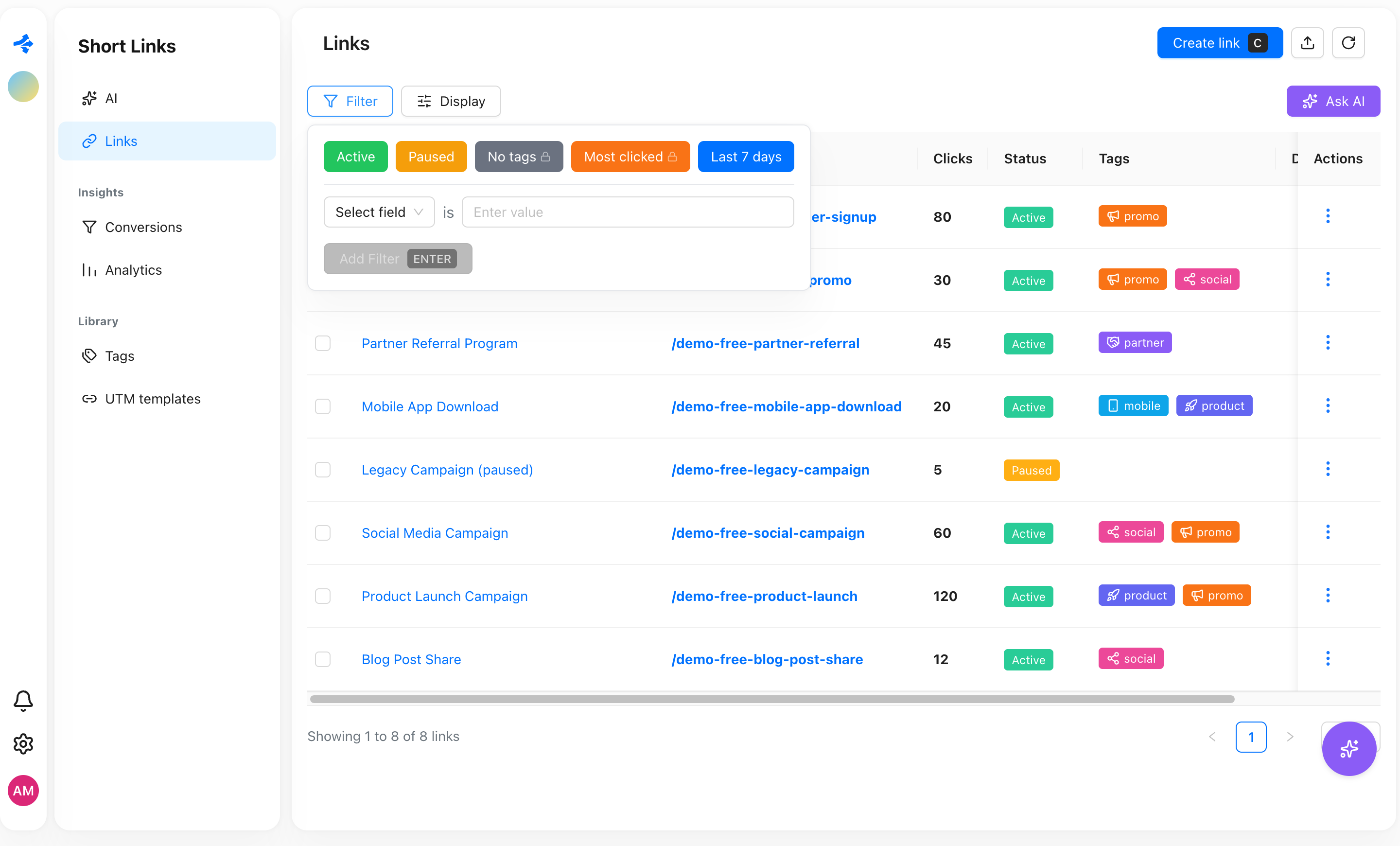
Two ways to filter, one filter bar
Switch between them any time. A query that plain chips can express shows up as chips.
Basic
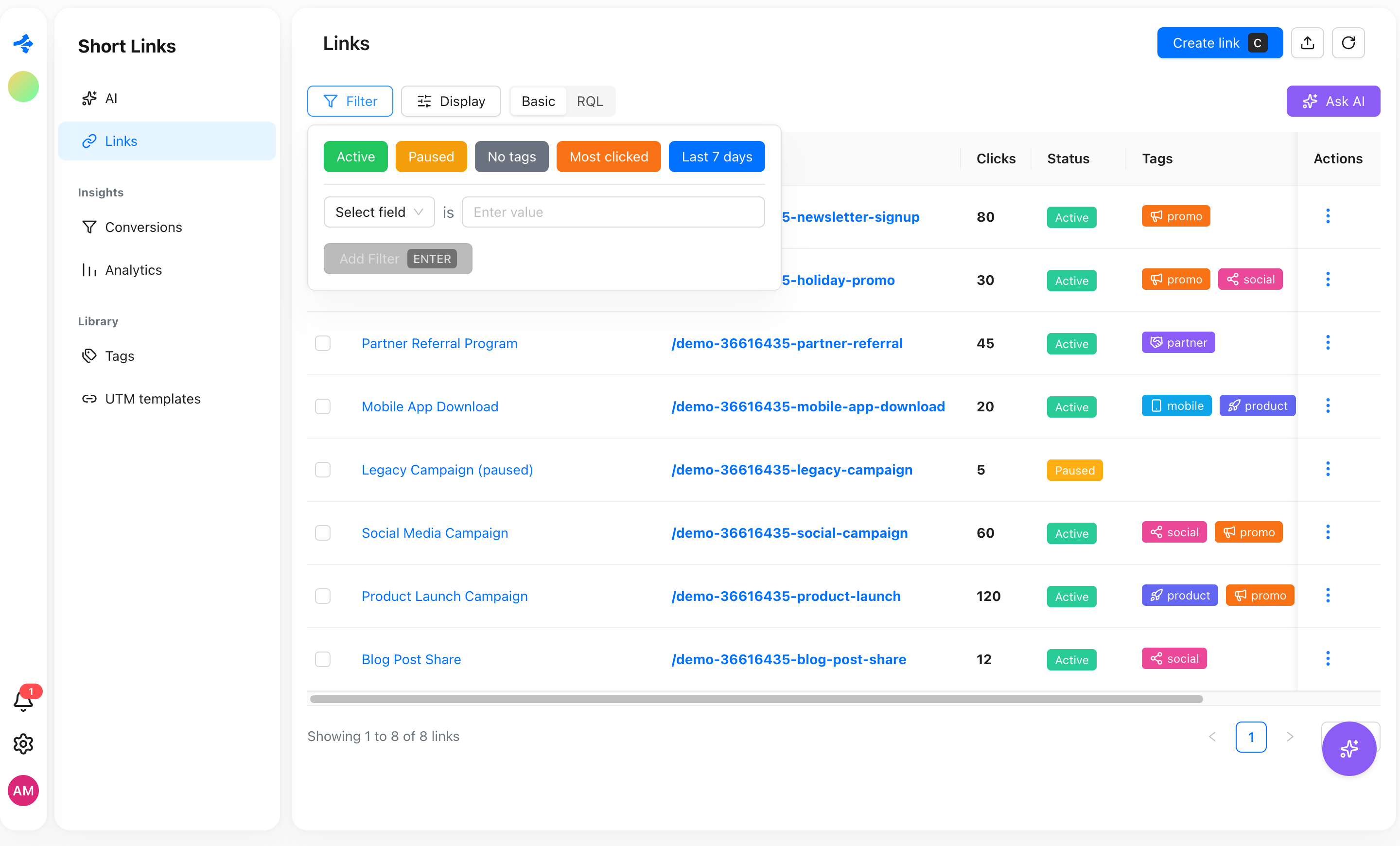
Every plan- Pick a field, an operator and a value. Chips stack with AND.
- Quick filters above the table: Active, Paused, Last 7 days.
- Ask AI works too. It answers with what chips can express.
RQL
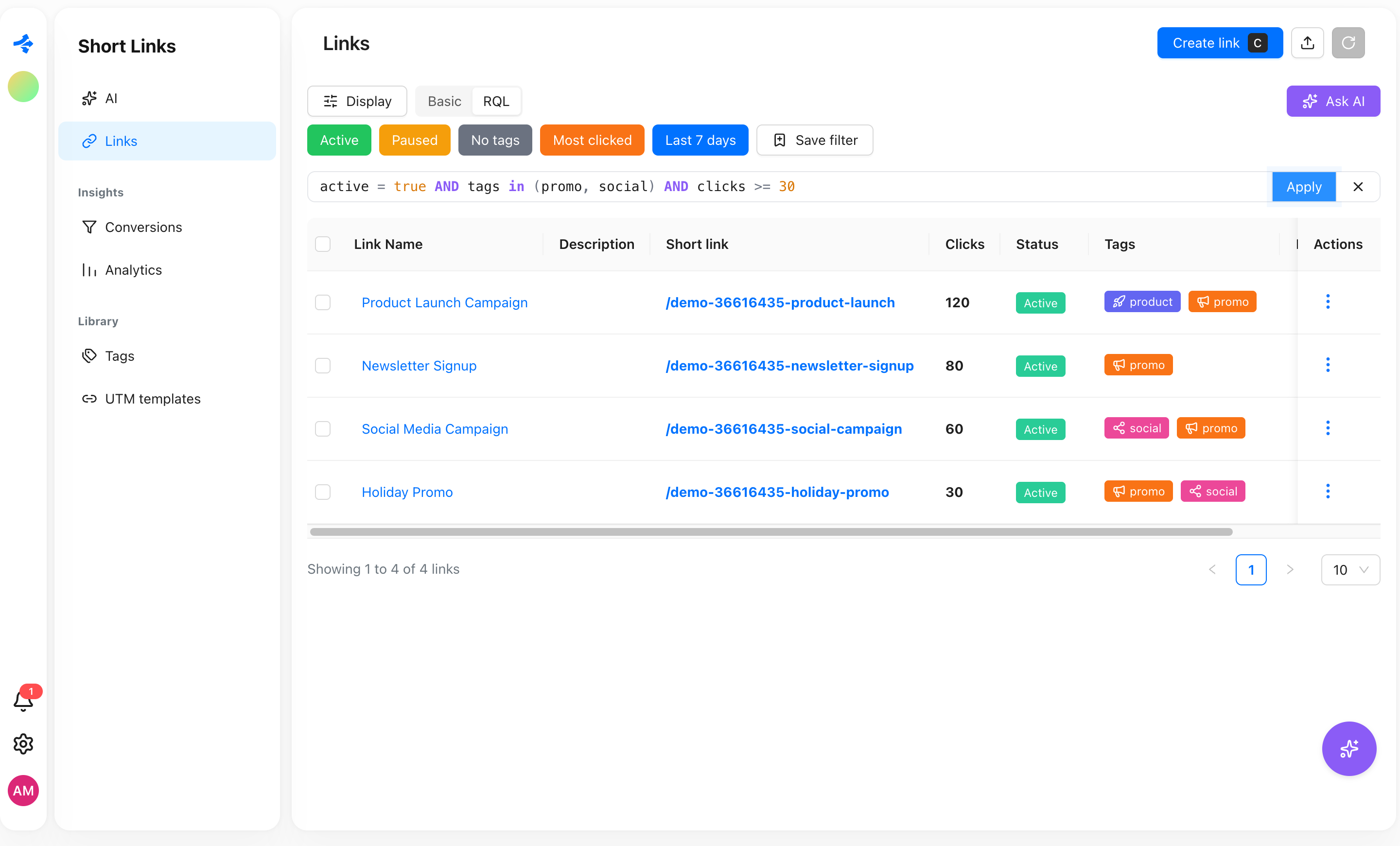
Pro, Agency, Business- OR, NOT and brackets, so one filter can hold a whole question.
- ORDER BY up to 3 fields, for example clicks desc.
- Dates the way you say them: -7d, startOfWeek(), endOfMonth().
- Contains with ~, lists with in (a, b), is empty and is not empty.
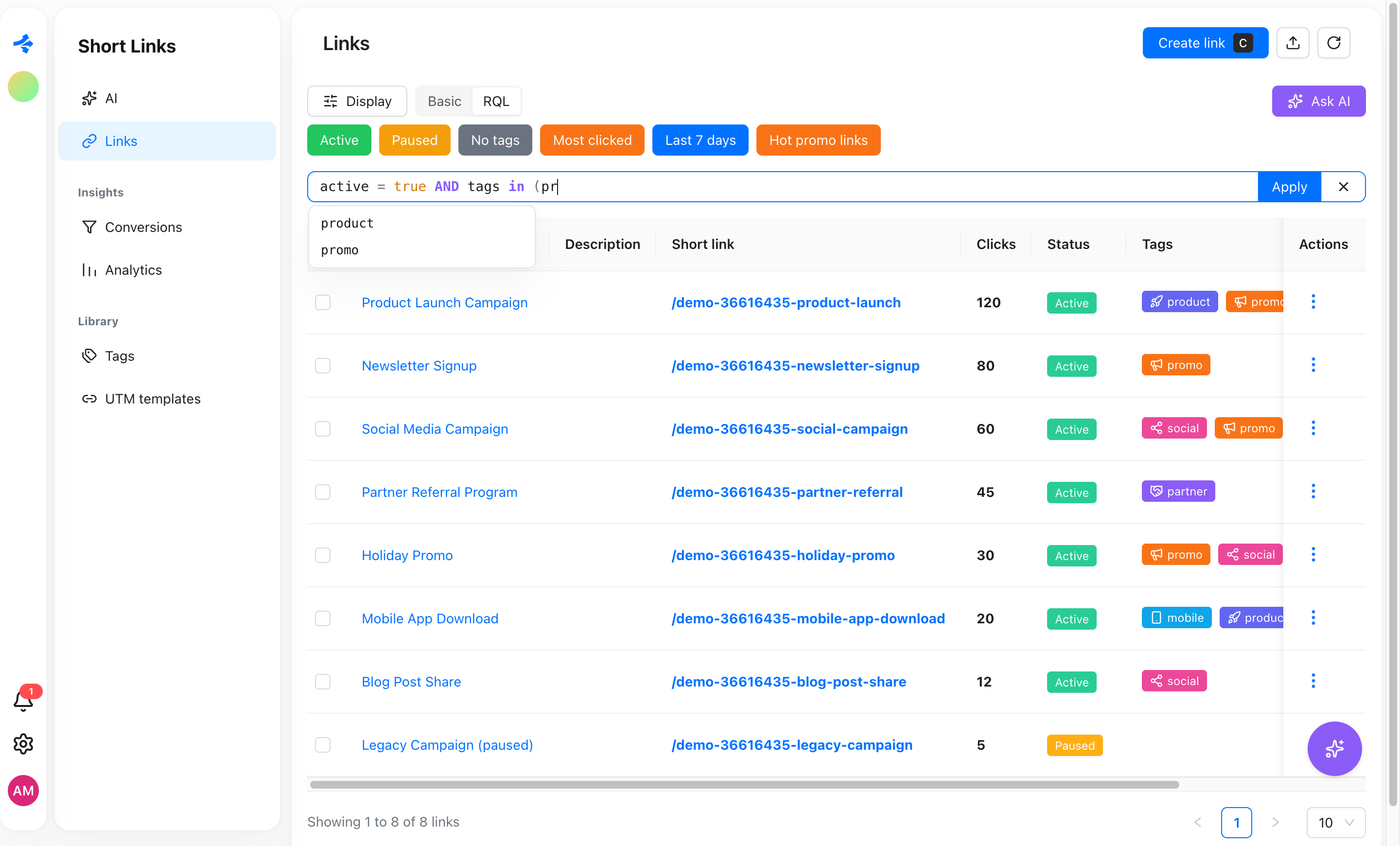
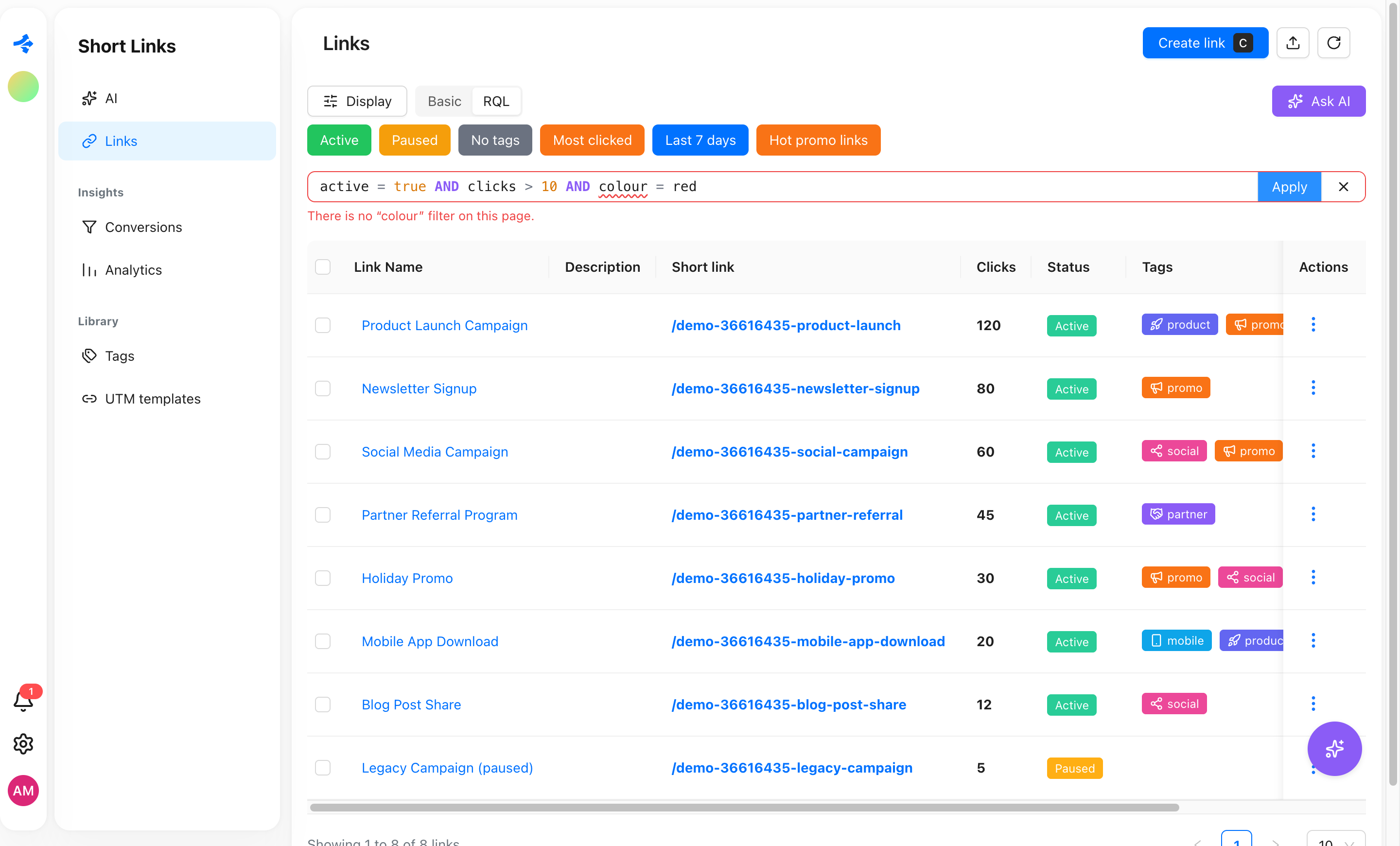
- Autocomplete with your real tags and a plain-language error when something is off.
Without a real filter
The list gets long, and the questions get specific.
You scroll a 400-link list to find the ones nobody tagged.
You export a CSV to count clicks from Germany on mobile.
You rebuild the same five chips every Monday.
Each teammate keeps their own "hot links" filter in their head.
With RQL
The question is the filter.
tags is empty, and they are on screen.
country = DE AND device = mobile on the Analytics page.
One saved filter, one click.
A workspace filter that everyone sees above the table.
Queries people actually write
Real fields from real pages. Copy one and change the values.
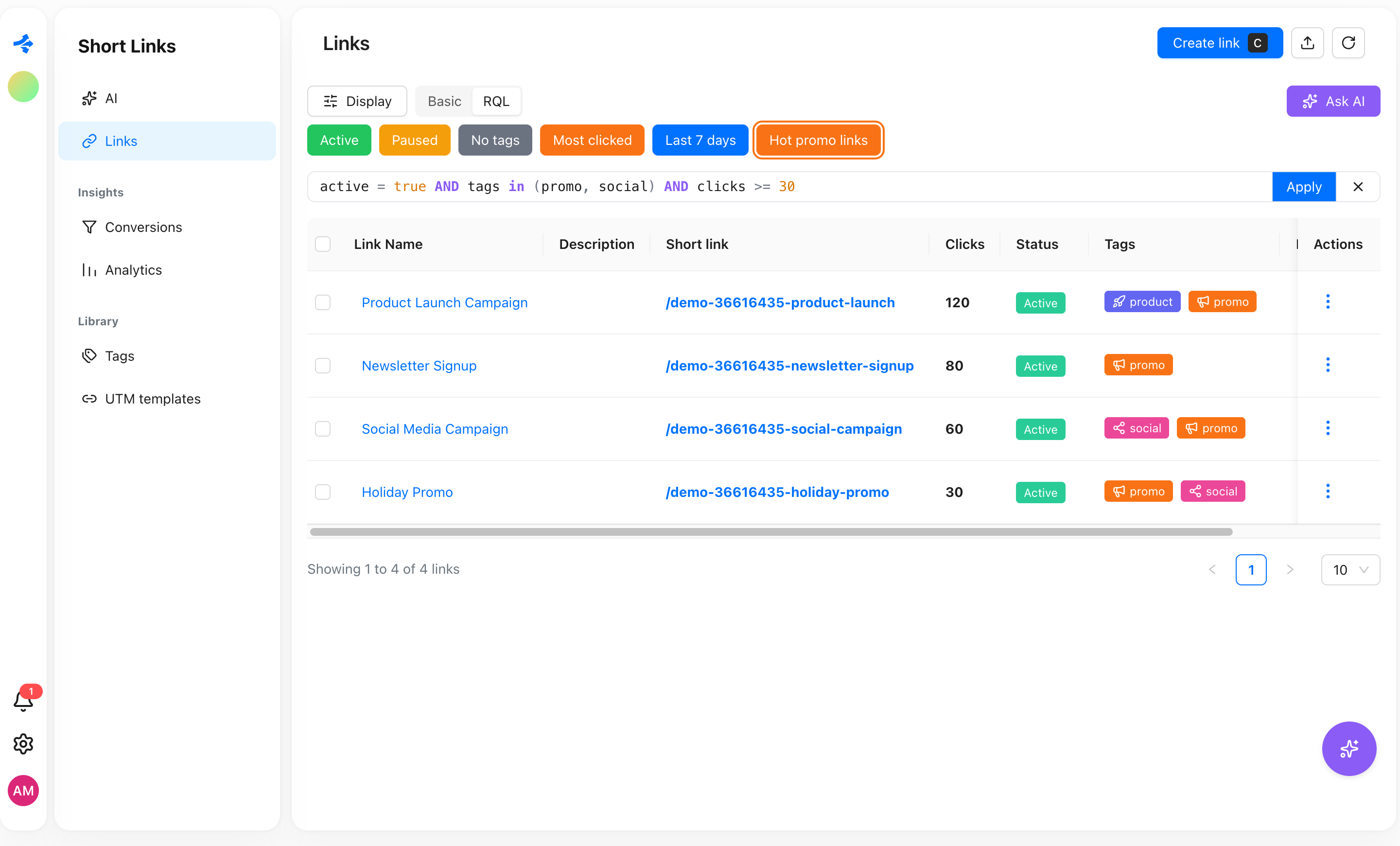
Promo links that get clicks
active = true AND tags in (promo, social) AND clicks >= 30Live links with the promo or social tag and at least 30 clicks.
Untagged links from the last month
tags is empty AND createdAt >= -30dA clean-up list: links created in the last 30 days with no tag.
Find a campaign by any part of the name
name ~ launch OR shortLink ~ launchContains-match on the name or the slug, case does not matter.
DACH visitors on phones
country in (DE, AT, CH) AND device = mobileOnly the clicks from Germany, Austria and Switzerland on mobile devices.
Big orders in dollars
value >= 100 AND currency = USDConversions worth at least 100 USD.
What failed this month
status = failed AND createdAt >= startOfMonth()Failed imports since the first day of the month.
RQL in the Revolink dashboard
Click any screenshot to enlarge it. Everything lives in the filter bar of the table you already use.
Start with chips and quick filters
Switch to RQL when chips are not enough
Autocomplete knows your tags
Mistakes are explained, not just rejected
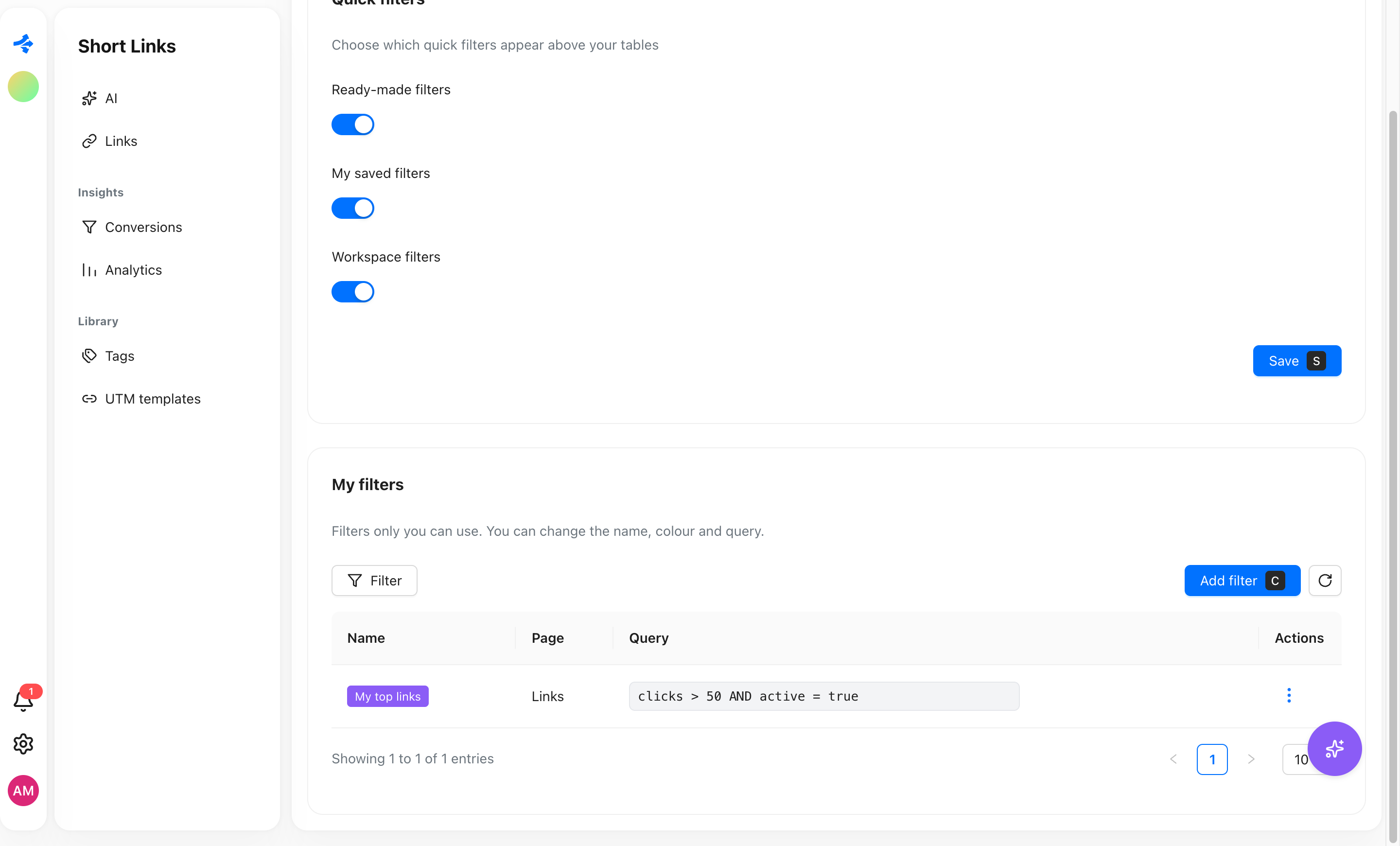
Your best filters become one-click buttons
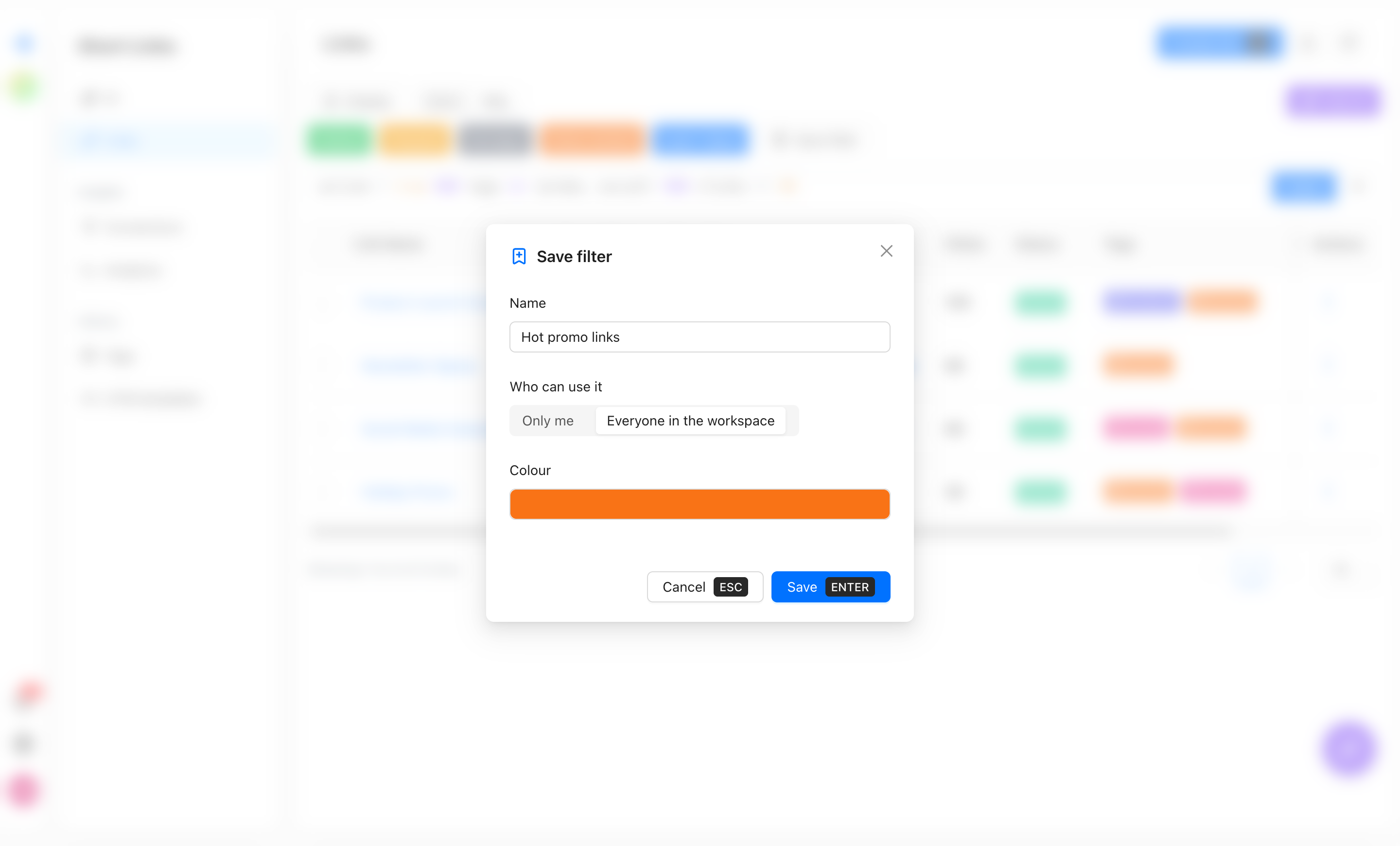
Save it for yourself or for the whole workspace
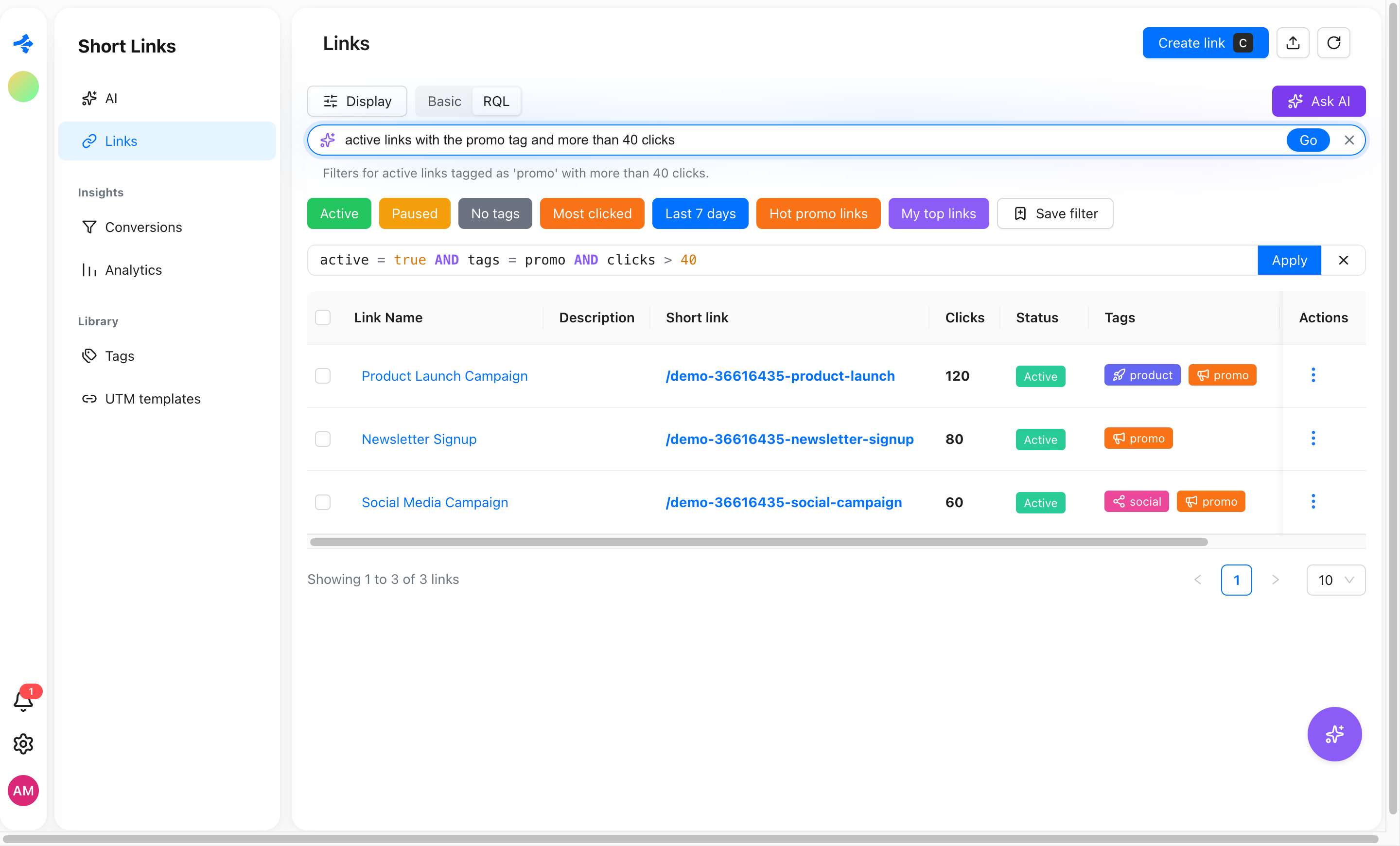
Or describe it and let Ask AI write the query
Choose what shows above your tables
On Free and Starter, advanced ones wear a lock
Ask AI writes the query for you
Not sure how to say it in RQL? Say it in your own words.
Plain words in, RQL out
Type what you want, for example "active links with the promo tag and more than 40 clicks". You get the query and a one-line explanation.
It only writes, it never runs
The answer goes through the same parser and field list as a query you typed. Nothing is executed behind your back.
On every plan
Without RQL on your plan, answers are limited to what chips can express. A bigger ask shows an upgrade hint instead. A daily AI limit applies.
Saved filters your team shares
Write a query once. Everyone who needs it gets a button.
Only me
A personal filter, up to 50 per workspace. Rename it, recolour it or change its query any time.
Everyone in the workspace
A shared filter, up to 100 per workspace. Creating one needs the manage workspace filters permission (owners always have it).
Coloured, named, one click
Names up to 60 characters. The colour fills the button, so "Hot promo links" is easy to spot above the table.
Works per page
A filter belongs to the page it was made on: Links, Analytics, Conversions or Imports.
Five places that speak RQL
The same bar, the same syntax, different fields.
Links
name, description, shortLink, clicks, active, tags, domain, createdAtAnalytics (all links)
country, city, device, os, browser, locale, tags, domainAnalytics (one link)
country, city, device, os, browser, localeConversions
eventName, device, currency, value, linkImports
sourceName, initiator, status, resultCount, createdAtWhat you get on each plan
The plan of the workspace owner counts, not the plan of the person typing.
| Plan | Price | Basic filters | RQL editor and saved filters |
|---|---|---|---|
| Free | $0 | ||
| Starter | $5/mo | ||
| Pro | $15/mo | ||
| Agency | $45/mo | ||
| Business | $99/mo |
Simple queries, the kind plain chips can make, work on every plan. Sorting, OR, NOT and saved filters need RQL.
5
Pages that run RQL
8
Comparison operators
50 + 100
Personal and shared saved filters
2,000
Characters per query
Guard rails
A query can be up to 2,000 characters, 50 conditions and 10 levels of brackets deep. A list takes up to 100 values, one value up to 200 characters, ORDER BY up to 3 fields.
Need the full syntax?
Every operator, date function and field is in the documentation. This page shows what RQL is good for, the docs show how to write it.
Open the RQL guideCommon questions
Which plans include RQL?
Pro ($15/mo), Agency ($45/mo) and Business ($99/mo). Free and Starter keep Basic filters, quick filters like Active and Paused, and Ask AI limited to what chips can express.
Do I need to learn the syntax?
No. Basic mode needs none of it. In RQL mode, autocomplete suggests fields, operators and your real tag names, errors explain themselves, and Ask AI can write the query from a sentence.
What is the difference between Basic and RQL?
Basic is chips joined by AND. RQL adds OR, NOT, brackets, ORDER BY, contains, lists, empty checks and relative dates. You can switch between the two, and a query that chips can express shows up as chips.
Who can see a saved filter?
A personal filter only you. A workspace filter everyone in that workspace. Creating or changing a workspace filter needs the manage workspace filters permission, which owners always have.
Can Ask AI change my data?
No. It only turns your sentence into a filter query, checked by the same parser as a typed one. Filtering itself never edits links, clicks or conversions.
What happens to saved filters if we move to a lower plan?
They are kept, but cannot be used until the workspace upgrades again. You can still delete them.
Explore more Revolink features
Route Smarter. Convert More.
Stop sending everyone to the same page. Route by location, device, and time - start free, no credit card required.
Start for Free - No Card RequiredFree forever · No credit card · Cancel anytime
Already have links? Import them